Flat symbol copy paste is as simple as copying ♭ and pasting it wherever you need it. The character is the Music Flat Sign, used in music notation to show that a written pitch is lowered by a semitone. It appears in sheet music, chords, key signatures, scales, music theory, and pitch notation.
If you have ever stared at your keyboard wondering where the flat sign went, you are not missing a secret key. Standard keyboards generally do not provide a dedicated music flat symbol key. This guide gives you the character first, then walks through Unicode, Alt codes, HTML, CSS, Word, Excel, PowerPoint, Google Docs, Windows, Mac, and mobile options.
Choose and Copy Flat Symbol Flat Symbol Copy Paste
The quickest flat symbol copy paste solution is right here: ♭. Select the symbol, copy it, place your cursor where you want it, and paste. On Windows, use Ctrl + C and Ctrl + V; on Mac, use Command + C and Command + V.
| Character | Name | Best use |
| ♭ | Music Flat Sign | Music notation |
| 𝄫 | Double Flat | Lowers pitch by two semitones |
| ♯ | Music Sharp Sign | Raises pitch |
| ♮ | Music Natural Sign | Cancels an accidental |
For example, you can copy B♭, E♭, or A♭ directly into a message, assignment, chord chart, or document. The Unicode character remains selectable text rather than becoming a screenshot or image, which makes it much more practical for everyday digital writing.

Flat Symbol Copy and Paste
The flat symbol copy and paste method works across most modern apps that support Unicode text. Copy ♭, open your destination, click where the character belongs, and paste it. This works well in documents, emails, online forms, notes, social posts, and many messaging applications.
A simple example is a chord progression such as B♭ – E♭ – F. Instead of writing “B flat” every time, the dedicated musical sign keeps the notation compact and familiar. This is especially useful for musicians, students, teachers, composers, and anyone preparing music-related content.
Exact symbol and common choices
The correct music flat sign is ♭. It should not be confused with the ordinary lowercase letter b. The flat sign has its own Unicode identity, while b is a Latin alphabet character. The distinction becomes important when writing professional chord names or formal music notation.
Ready-to-copy examples
Here are several examples you can copy directly:
B♭ major
E♭ chord
A♭ note
D♭ major
G♭
The sign is placed with the note it modifies. In standard notation, a flat indicates a pitch one chromatic semitone lower in 12-tone equal temperament.
What Is the Flat Symbol? Flat Symbol Copy Paste Guide
The flat symbol ♭ is called the Music Flat Sign and has the Unicode code point U+266D. In conventional Western music, it indicates that the associated note is lowered by one semitone. It is one of the common musical accidentals, alongside the sharp and natural signs.
For example, B♭ means B lowered by a semitone. The sign can occur before individual notes as an accidental or appear in a key signature, where it establishes recurring flats for the relevant passage. Its meaning comes from musical context, not from the visual shape alone.
| Fact | Flat symbol |
| Symbol | ♭ |
| Official name | Music Flat Sign |
| Unicode | U+266D |
| Decimal | 9837 |
| HTML entity | ♭ |
| HTML decimal | ♭ |
| HTML hexadecimal | ♭ |
| CSS | \266D |
The flat sign therefore has a useful identity beyond simply looking like a small “b.” Its Unicode representation allows computers, browsers, documents, and other digital systems to store and display the character consistently when suitable fonts and encoding are available.
How to Type the Flat Symbol Flat Symbol Copy Paste Methods
If you do not want to repeatedly use flat symbol copy paste, you can type the character directly through Unicode input, an application menu, or a character utility. The best method depends on your operating system and the application you’re using. Microsoft Word and Google Docs both provide built-in symbol insertion options.
On Windows, Word provides a particularly convenient Unicode method: type 266D, then press Alt + X. For other applications, Windows Character Map can locate the Music Flat Sign and copy it to your clipboard. On Mac, Character Viewer provides a searchable way to insert the symbol.
Flat Symbol on Windows
In Microsoft Word, type 266D and press Alt + X to convert the code into ♭. Windows users can also open Character Map, search for the Music Flat Sign, select it, copy it, and paste it into another application.
Flat Symbol on Mac
On Mac, open Character Viewer with Control + Command + Space, search for “music flat sign,” and select ♭. This method is useful when you need a symbol that is not printed on the physical keyboard.
Flat Symbol on iPhone and iPad
On iPhone and iPad, direct copy and paste is usually the easiest option. Copy ♭, tap the destination text field, and paste it. If you use the symbol frequently, a text replacement can make repeated insertion much faster.
Flat Symbol on Android
Android users can also copy ♭ and paste it into the required app. For frequent music notation, a keyboard text shortcut can reduce repetitive copying and keep common chord names readily available.
Flat Symbol on Chromebook
On Chromebook, Unicode input can be used where supported: press Ctrl + Shift + U, type 266D, then press Enter. If Unicode input is unavailable in your particular context, copying ♭ remains the simplest alternative.
Flat Symbol on Microsoft Word
Word supports both the Unicode conversion method and the traditional Symbol dialog. Go to Insert → Symbol → More Symbols, then locate the Music Flat Sign. You can search using the character code 266D with a suitable symbol font.
Flat Symbol on Google Docs
In Google Docs, select Insert → Special characters, search for Music Flat, and double-click the character. Google Docs also provides a drawing area that can help locate a symbol when you recognize its appearance but not its name.
Flat Symbol Unicode and HTML Codes Flat Symbol Copy Paste Codes
The Unicode value for ♭ is U+266D, while its decimal value is 9837. For web pages, the symbol can be represented using an HTML decimal reference, hexadecimal reference, or the named entity ♭. CSS can use the Unicode escape \266D.
These representations are useful when copying the visible symbol is inconvenient. Developers can place the HTML reference directly in source code, while CSS can generate the character through a content declaration. For ordinary users, however, direct flat symbol copy paste is usually faster.
♭
♭
♭
content: “\266D”;
CyberDefinitions also lists the flat sign as U+0266D, Alt 9837, ♭, \266D, and ♭.
The Music Flat Alt Code (Keyboard Shortcut) Flat Symbol Copy Paste
The commonly listed Alt code for ♭ is Alt + 9837 when using the numeric keypad. Symbol Hippo specifically notes this method for Microsoft Word on Windows, while CyberDefinitions lists Alt 9837 among its insertion methods.
To try the method in Word, place your cursor where the sign belongs, hold Alt, enter 9837 using the numeric keypad, and release Alt. If your application does not respond as expected, use the more predictable Unicode method 266D + Alt + X in Word or use Character Map.
| Method | Input | Output |
| Unicode in Word | 266D + Alt + X | ♭ |
| Alt code | Alt + 9837 | ♭ |
| HTML decimal | ♭ | ♭ |
| HTML hex | ♭ | ♭ |
| HTML entity | ♭ | ♭ |
| CSS | \266D | ♭ |
The key detail is that Alt-code behavior can depend on the application and keyboard configuration. That is why keeping ♭ available for direct copy and paste is still the most reliable everyday solution.
Insert Music Flat Symbol in Word/Excel/PowerPoint Flat Symbol Copy Paste
Microsoft Office applications provide a built-in symbol menu, so you do not always need an external copy-and-paste website. In Word, Excel, or PowerPoint, open Insert → Symbol → More Symbols, locate the Music Flat Sign, and insert it at the cursor position.
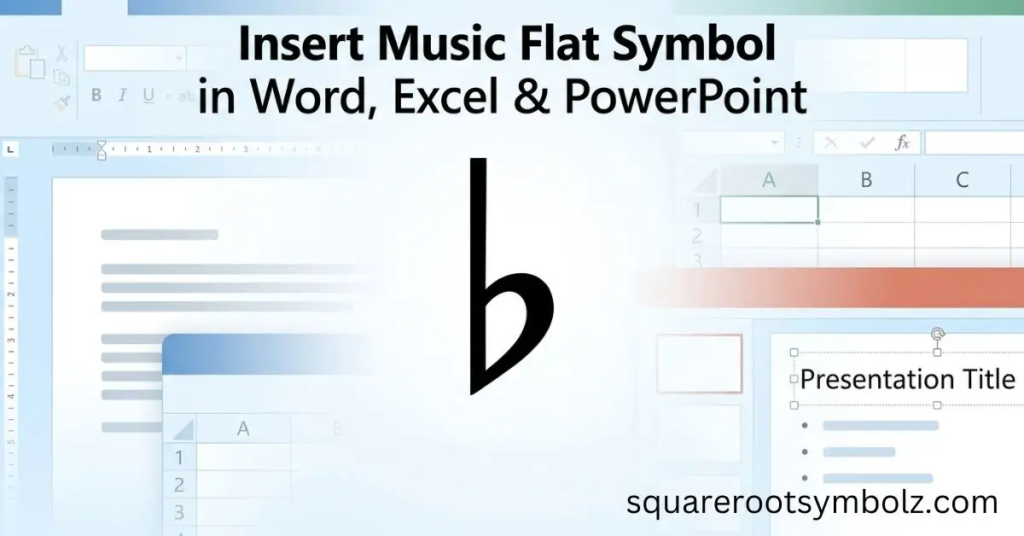
For frequent use, the Unicode method can be faster than opening the symbol dialog every time. In Word, enter 266D and press Alt + X. Once inserted, you can also copy the resulting character and reuse it elsewhere in your document, spreadsheet, or presentation.
Music Flat Symbol In Google Docs Flat Symbol Copy Paste
Google Docs has its own Special characters tool. Place your cursor where you want the sign, open Insert → Special characters, search for Music Flat, and double-click the result. The symbol is inserted directly into your document without requiring an external character source.
If you already have ♭ copied, though, the faster approach is simply to paste it. This is especially convenient when creating chord charts, classroom worksheets, music assignments, or notes where the same accidental appears repeatedly.
Adding Music Flat in HTML/CSS Flat Symbol Copy Paste
For websites, the Music Flat Sign can be inserted as literal Unicode text or through HTML and CSS character references. The main values are U+266D, ♭, ♭, ♭, and the CSS escape \266D.
For example, an HTML document can contain:
<p>B♭ major</p>
which renders as B♭ major.
CSS can also generate the character:
.flat::before {
content: “\266D”;
}
For accessible and searchable music content, using actual Unicode text is generally preferable to replacing the character with an image. It keeps the notation selectable and machine-readable while allowing the browser to render the appropriate glyph when the selected font supports it.
Conclusion
Flat symbol copy paste is the fastest way to get ♭, but you have several reliable alternatives when you need to type the sign yourself. The key reference is U+266D, with Alt + 9837, 266D + Alt + X, HTML references, and CSS escapes providing additional options.
For everyday music writing, simply copy ♭ and paste it into your document. For Word, Google Docs, websites, or technical workflows, choose the method that fits your environment. And remember: ♭ is the Music Flat Sign, not the ordinary lowercase letter b.
FAQ Section
What is the flat symbol?
The flat symbol is ♭, officially named MUSIC FLAT SIGN. It is used in music notation to indicate that a pitch is lowered by one semitone in the standard 12-tone equal-temperament context.
How do I copy and paste the flat symbol?
Copy ♭, place your cursor where you need it, and press Ctrl + V on Windows or Command + V on Mac.
What is the Unicode for the flat symbol?
The Unicode code point for the Music Flat Sign is U+266D. Its decimal value is 9837.
What is the Alt code for ♭?
The commonly listed Alt code is Alt + 9837 using a numeric keypad, particularly in Microsoft Word on Windows.
How do I type the flat symbol in Word?
Type 266D, then press Alt + X. Microsoft Word converts the hexadecimal Unicode value into ♭.
How do I type ♭ on a Mac?
Open Character Viewer with Control + Command + Space, search for “music flat sign,” and select ♭.
What is the HTML code for the flat symbol?
You can use ♭, ♭, or the named HTML entity ♭.
What is the CSS code for ♭?
The CSS Unicode escape is \266D.
Is the flat symbol the same as lowercase b?
No. ♭ is the dedicated Music Flat Sign, while b is a Latin lowercase letter. They may look somewhat similar but represent different characters.
What does a flat do in music?
A flat normally lowers the written pitch by one chromatic semitone. For example, B♭ represents B lowered by one semitone in standard 12-tone equal temperament.
What is the difference between flat and sharp?
A flat lowers a pitch by a semitone, while a sharp raises a pitch by a semitone in standard Western equal-tempered notation.

I’m the creator of SquareRootSymbolz.com, where I publish easy-to-understand guides on symbols, Unicode characters, Alt codes, keyboard shortcuts, and copy-and-paste text symbols. My goal is to provide accurate, well-researched, and user-friendly content that helps readers quickly find the information they need.