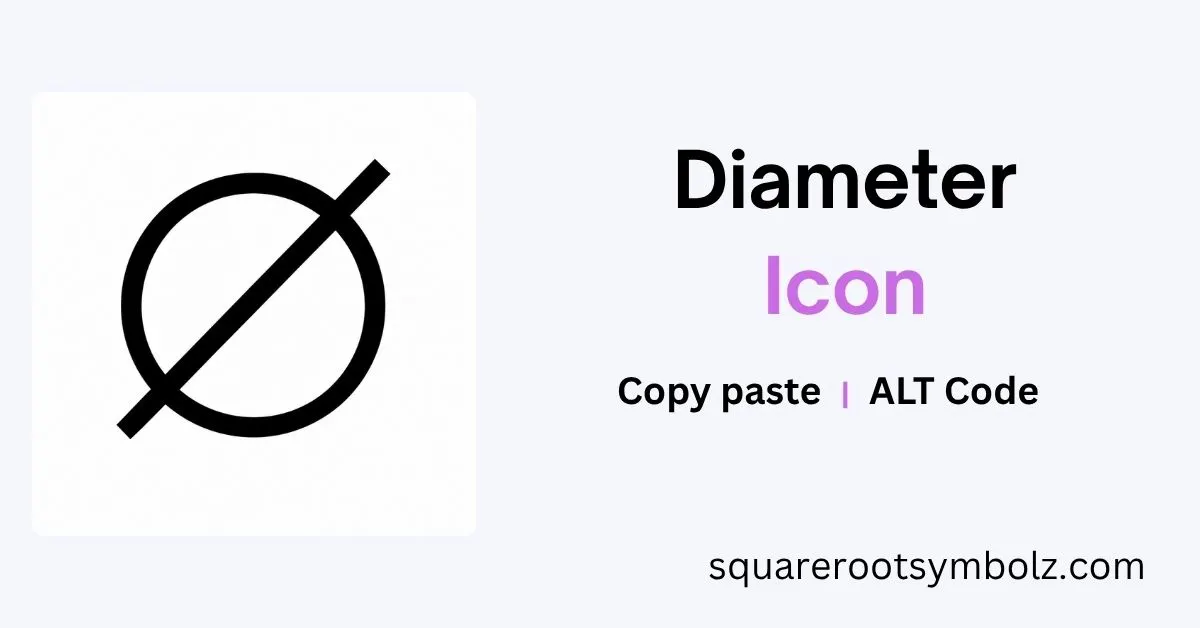
The diameter icon represents diameter in geometry, measurement, technical drawings, engineering, and digital interfaces. If you need the actual character, the technical diameter sign is ⌀, Unicode U+2300. Modern icon libraries also offer diameter graphics as SVG, PNG, icon fonts, and framework components.
If you have ever searched for a diameter icon and ended up with a slashed O, empty-set symbol, or unrelated circle graphic, you are not alone. This guide separates the diameter sign, diameter UI icon, Ø character, Unicode code point, and downloadable vector asset so you can choose the right one for engineering, mathematics, documents, websites, or interface design.
Diameter icon in other styles
A diameter icon can look different depending on its visual system. Icons8, for example, provides a Material Filled version, while other libraries offer outline, rounded, dual-tone, sharp, or line treatments. The underlying concept remains measurement, circle, dimension, diameter, and geometric size.
For a website or application, style matters because the icon must match the surrounding interface. A filled diameter graphic may suit a compact toolbar, while a thin SVG measurement icon can work better in engineering software, diagrams, dashboards, or technical documentation.
Get free icons in Material Filled design style
Material-style diameter graphics are designed as reusable interface assets rather than ordinary text characters. Icons8 describes its Material Filled collection as pixel-perfect at 24×24 pixels and provides formats including PNG and SVG. That makes the graphic useful when consistency, scaling, and visual clarity matter.
The key distinction is simple: a font character belongs inside text, while a vector icon belongs inside a visual interface. If you are building a button, CAD-related control, educational interface, or measurement dashboard, an SVG diameter graphic may be more appropriate than inserting ⌀ as ordinary text.
Here’s how to use Icons8
Icons8’s workflow allows users to find an icon, download it, modify its appearance, and integrate it into a project. The available ecosystem includes formats such as PNG, SVG, PDF, GIF, and HTML-related implementation options.
For designers, the practical advantage is flexibility: you can change the size, shape, or color rather than being limited by the appearance of a text glyph. For developers, however, an SVG or icon component may be preferable when the diameter graphic needs to remain crisp across responsive layouts and different screen resolutions.
About Material Filled style
Material Filled is a visual icon style rather than a different mathematical meaning. The diameter concept remains tied to circle measurement, dimension, scale, distance, and geometric size; only the graphic treatment changes. Icons8 describes its Material collection as following Material guidelines and providing multiple related themes.
This matters when selecting an asset for a professional product. A designer should choose the style based on the surrounding interface, not assume that one visual representation is the universally correct diameter symbol.
Diameter Icons
IconScout places diameter graphics within Math Symbol, Square Root Symbols, and related mathematical categories. Its asset page provides a dual-tone diameter icon and downloadable formats including SVG and PNG-related options.
The broader semantic relationship is important: diameter belongs naturally with circle, radius, measurement, dimension, geometry, mathematics, and engineering. A good icon therefore communicates more than a circle alone—it visually suggests a measured circular feature.
A technical drawing may use a diameter prefix before a value, such as ⌀20 mm, to indicate that the measured feature has a 20-millimeter diameter. In CAD software, diameter dimension tools similarly identify the size of circular features.
Math Icons
A diameter graphic is naturally connected with mathematical and scientific iconography. Boxicons categorizes its diameter icon under Maths & Science and tags it with measurement, geometry, circle, size, and dimension.
For text, however, use the correct character for the context. The technical diameter sign is ⌀ (U+2300). It is visually similar to Ø, but the two are different Unicode characters and should not automatically be treated as interchangeable.
| Character | Unicode | Typical identity | Best use |
| ⌀ | U+2300 | Diameter sign | Technical diameter notation |
| Ø | U+00D8 | Latin capital O with stroke | Letter; often used as a practical substitute |
| ø | U+00F8 | Latin small o with stroke | Letter; sometimes used informally |
| ∅ | U+2205 | Empty set | Mathematics/set theory |
| Φ | U+03A6 | Greek capital phi | Greek letter/technical contexts |
This is one of the most important distinctions for anyone creating educational or technical content. A character that merely looks right is not necessarily semantically identical to the intended Unicode symbol.
Mathematics Icons
Diameter has a particularly strong relationship with circle geometry. The diameter is the straight-line distance across a circle through its center, and its length is twice the radius:
d = 2r
If a circle has a radius of 10 mm, its diameter is 20 mm. In a drawing, the notation ⌀20 mm communicates that measurement compactly.
For digital content, you can copy the technical sign directly:
⌀
You can also use the Unicode value U+2300. For HTML, the character can be represented with the decimal entity ⌀ or hexadecimal entity ⌀.
For Windows users, one commonly documented method is Alt + 8960 using the numeric keypad. Microsoft Office applications can also use Unicode conversion by entering 2300 and pressing Alt + X.
On Mac, current references document Shift + Option + O for the technical diameter sign in supported environments, while Character Viewer provides another dependable route for finding special characters.
If your purpose is graphic design rather than text, use an actual diameter SVG or PNG icon instead of forcing a text glyph into an interface. Boxicons, Icons8, and IconScout all demonstrate the separate icon-asset approach.
Quick Diameter Icon Reference
| Need | Recommended choice |
| Technical diameter notation | ⌀ |
| Copy and paste | ⌀ |
| Unicode | U+2300 |
| HTML decimal | ⌀ |
| HTML hexadecimal | ⌀ |
| Windows numeric keypad | Alt + 8960 |
| Microsoft Word Unicode method | 2300 + Alt + X |
| Graphic/UI asset | SVG diameter icon |
| Web image | SVG or PNG |
| Mathematical empty set | ∅, not ⌀ |
| Scandinavian letter | Ø/ø, not ⌀ |
Diameter Icon Copy and Paste
Diameter sign: ⌀
Capital O with stroke: Ø
Small o with stroke: ø
If you simply need the technical character for a document, the safest choice is ⌀. If you need a scalable interface graphic, choose an SVG icon instead. This distinction prevents a common problem where a visually similar character is used even though it represents a different Unicode entity.
Choosing the Right Diameter Graphic
Think about the destination first. For a technical specification or engineering drawing, semantic accuracy matters most, so ⌀ is preferable. For a web application, dashboard, CAD interface, or educational tool, a purpose-built diameter vector icon can provide better visual consistency.
The same principle applies to accessibility and responsive design. A text character can participate in normal text flow and be read or copied, while an SVG graphic can be styled, resized, and positioned independently. Your choice should follow the user’s task rather than the appearance of the symbol alone.
Diameter Icon and Diameter Symbol: The Difference
A diameter symbol is a character used in text notation, while a diameter icon is a visual graphic representing the concept of diameter. The two can look related but serve different technical purposes.
For example, ⌀20 mm is textual notation. A circular button containing a diameter measurement graphic is an interface icon. One communicates through typography; the other communicates through visual design.
That distinction is especially valuable when working with HTML, CSS, SVG, CAD software, Word, Excel, engineering drawings, and design systems. Using the correct representation makes the content easier to maintain and less likely to create confusing formatting problems.
FAQs
What is the diameter icon?
The diameter icon is a visual representation of diameter, commonly associated with a circle, measurement, dimension, or geometric size. In text, the technical diameter sign is ⌀ (U+2300).
What is the diameter symbol?
The technical diameter sign is ⌀. Its Unicode code point is U+2300. It is commonly used before a measurement to indicate the diameter of a circular feature.
How do I type the diameter symbol on Windows?
Use Alt + 8960 with the numeric keypad, or enter 2300 followed by Alt + X in compatible Microsoft Office applications.
How do I type the diameter symbol on Mac?
A commonly documented shortcut is Shift + Option + O. You can also use macOS Character Viewer to search for the diameter sign.
Is Ø the same as ⌀?
No. Ø is U+00D8, a Latin letter, while ⌀ is U+2300, the technical diameter sign. They can look similar, but they have different Unicode identities and meanings.
Is ∅ the diameter symbol?
No. ∅ (U+2205) represents the empty set in mathematics. It may resemble a diameter sign visually, but it has a different meaning.
Can I use the diameter icon in an SVG?
Yes. SVG is particularly useful for interface and design work because vector graphics can scale without the pixelation associated with raster images. Icon libraries such as Boxicons provide diameter assets and developer-oriented formats.
What is the diameter of a circle?
The diameter is the distance across a circle through its center. It equals twice the radius, expressed as d = 2r.
Final Answer in One Glance
If you need the diameter character, copy this:
⌀
If you need its Unicode:
U+2300
If you need a Windows numeric-keypad method:
Alt + 8960
If you need a professional UI graphic, choose an SVG diameter icon rather than treating the text character and visual icon as the same thing.
The important lesson is simple: ⌀ is the technical diameter sign; Ø is a different Unicode character; ∅ is the empty-set symbol; and a diameter icon is a graphical asset. Choosing the correct one makes your document, website, CAD interface, or design system more precise and professional.

I’m the creator of SquareRootSymbolz.com, where I publish easy-to-understand guides on symbols, Unicode characters, Alt codes, keyboard shortcuts, and copy-and-paste text symbols. My goal is to provide accurate, well-researched, and user-friendly content that helps readers quickly find the information they need.