Have you ever seen the ¿ symbol at the beginning of a sentence and wondered what it means? Known as the inverted question mark or upside-down question mark, this punctuation mark is an essential part of Spanish writing. Whether you’re learning Spanish, creating multilingual content, coding a website, or simply looking for a quick way to copy and paste the symbol, this guide has everything you need.
In this article, you’ll learn how to copy the ¿ symbol, type it on Windows, Mac, Chromebook, Linux, Android, and iPhone, use its Alt Code, Unicode, and HTML entity, and understand the correct grammar rules for using it. You’ll also find practical examples, comparison tables, and answers to the most frequently asked questions.
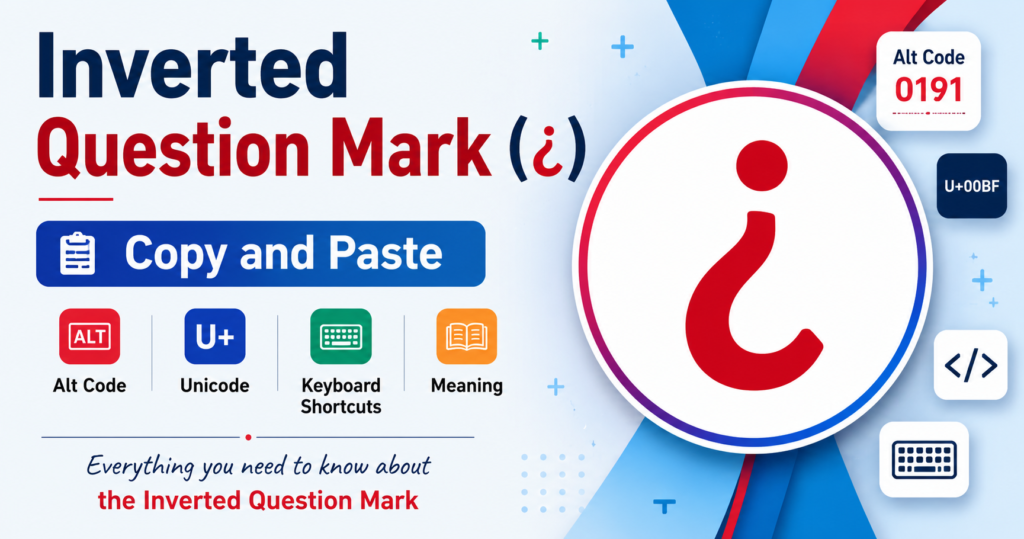
Inverted Question Mark (¿) Copy and Paste
If you’re here to copy the symbol, simply use the character below.
Copy the Inverted Question Mark
| Symbol | Name | Copy |
| ¿ | Inverted Question Mark | ¿ |
Simply highlight the symbol, copy it, and paste it anywhere, including Microsoft Word, Google Docs, Excel, PowerPoint, emails, social media posts, or websites.
Other Related Punctuation Symbols
| Symbol | Name |
| ¿ | Inverted Question Mark |
| ? | Question Mark |
| ¡ | Inverted Exclamation Mark |
| ! | Exclamation Mark |
What Is the Inverted Question Mark (¿)?

The inverted question mark (¿) is an opening punctuation mark used mainly in Spanish. It tells readers that a question is beginning before they reach the end of the sentence. Unlike English, which uses only a closing question mark (?), Spanish places ¿ at the beginning of every direct question and ? at the end.
Example:
¿Cómo estás?
(How are you?)
This punctuation improves clarity because readers immediately recognize that the sentence is a question.
Meaning and Purpose
The main purpose of the inverted question mark is to signal the beginning of an interrogative sentence. It helps readers understand the tone before they finish reading.
Its benefits include:
- Improves readability
- Makes questions easier to understand
- Reduces confusion in long sentences
- Follows standard Spanish grammar rules
Because Spanish sentence structure can be more flexible than English, the opening question mark helps readers identify questions right away.
History and Origin
The inverted question mark has been part pilcrow Sign of written Spanish for centuries. It became an official punctuation mark after the Royal Spanish Academy recommended using opening punctuation to improve reading comprehension.
Today, it is standard in:
- Spain
- Mexico
- Argentina
- Colombia
- Chile
- Peru
- Most Spanish-speaking countries
Although other languages generally don’t use the symbol, it remains one of the most recognizable features of Spanish writing.
Why Spanish Uses the Inverted Question Mark
Spanish uses both opening and closing question marks because many sentences begin like normal statements and only later reveal that they are questions.
For example:
Without opening punctuation:
Como estás?
With correct punctuation:
¿Cómo estás?
The second version immediately tells readers they’re reading a question.
How to Type the Inverted Question Mark on Any Device
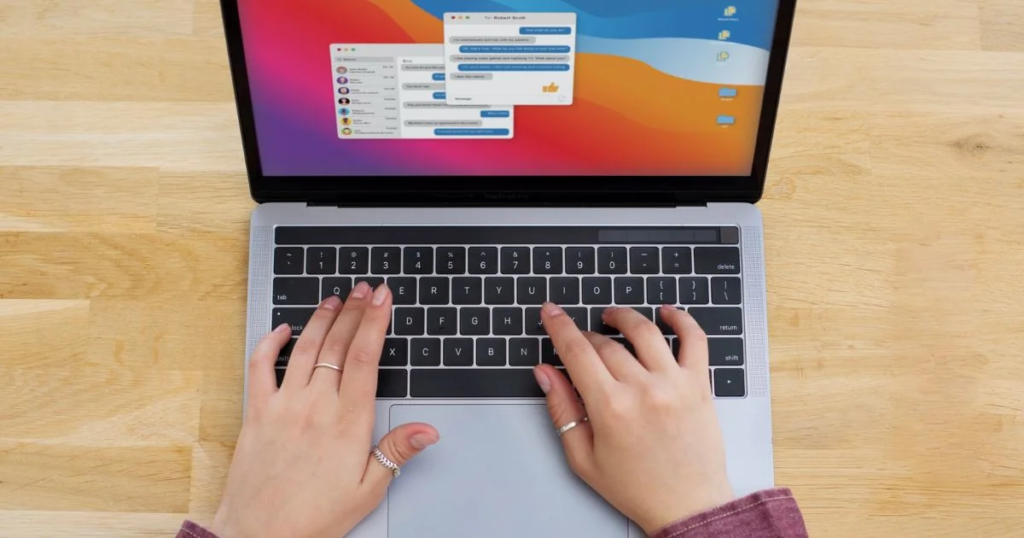
Typing the inverted question mark is simple once you know the correct shortcut for your device.
Windows Keyboard
Windows users have several options.
Method 1: Alt Code
- Turn on Num Lock.
- Hold the Alt key.
- Type 0191 on the numeric keypad.
- Release Alt.
Result:
¿
Method 2: Character Map
Open Character Map, search for the symbol, copy it, and paste it wherever needed
Mac Keyboard
On most Mac keyboard layouts:
- Press Option + Shift + ?
If your keyboard layout differs, you can also:
- Open Character Viewer
- Search for Inverted Question Mark
- Double-click the symbol to insert it
Chromebook
Chromebooks don’t include an Alt code system like Windows.
Instead, you can:
- Copy and paste the symbol.
- Use the Unicode input method if enabled.
- Insert it through Google Docs’ Special Characters tool.
Linux
Linux offers multiple ways to insert special characters.
Common methods include:
- Unicode input
- Compose Key sequences
- Character Map applications
The exact shortcut depends on your Linux distribution and desktop environment.
Android
On Android phones:
- Open the keyboard.
- Tap the ?123 key.
- Long-press the regular question mark (?).
- Select ¿ from the popup.
Most modern keyboards, including Gboard and Samsung Keyboard, support this shortcut.
iPhone and iPad
On iOS devices:
- Open the keyboard.
- Press and hold the ? key.
- Slide your finger to ¿.
- Release to insert it.
This works on iPhones and iPads using Apple’s default keyboard.
Why Device-Specific Instructions Matter
Many online guides only explain the Windows Alt code, but users search from a wide range of devices. Knowing the correct method for your operating system saves time and helps you type the symbol wherever you need it.
Inverted Question Mark Alt Code, Unicode and Character Codes
If you frequently type the inverted question mark (¿), knowing its character codes can save time. These codes are useful for Windows users, web developers, programmers, and anyone working with multilingual documents.
Windows Alt Code
The fastest way to type the inverted question mark on Windows is by using the Alt code.
| Character | Alt Code |
| ¿ | Alt + 0191 |
How to Use the Alt Code
- Turn on Num Lock.
- Hold the Alt key.
- Type 0191 on the numeric keypad.
- Release the Alt key.
The ¿ symbol will appear instantly.
Tip: Alt codes only work with a numeric keypad. If your laptop doesn’t have one, use the Character Map or copy and paste the symbol.
Unicode Value
Unicode gives every character a unique identifier that works across different operating systems and devices.
| Character | Unicode |
| ¿ | U+00BF |
Unicode ensures the inverted question mark displays correctly in:
- Websites
- Documents
- Mobile apps
- Databases
- Programming languages
HTML Entity
When creating web pages, you can insert the symbol using an HTML entity.
| Method | Code |
| Named Entity | ¿ |
| Decimal | ¿ |
| Hexadecimal | ¿ |
Example:
¿Cómo estás?
Output:
¿Cómo estás?
Decimal and Hex Code
Developers often work with decimal and hexadecimal values.
| Type | Value |
| Decimal | 191 |
| Hexadecimal | 00BF |
| Unicode | U+00BF |
ASCII Information
Many people search for the ASCII code of the inverted question mark.
The truth is:
The ¿ symbol does not exist in the original 7-bit ASCII character set because ASCII supports only 128 basic English characters.
Instead, it belongs to the Unicode and extended character sets, making Unicode the recommended standard for modern applications.
Quick Reference Table
| Property | Value |
| Symbol | ¿ |
| Name | Inverted Question Mark |
| Alt Code | Alt + 0191 |
| Unicode | U+00BF |
| HTML Entity | ¿ |
| HTML Decimal | ¿ |
| HTML Hex | ¿ |
| Category | Punctuation |
How to Insert the Inverted Question Mark in Popular Apps
Different applications offer different ways to insert special characters. Here are the quickest methods.
Microsoft Word
There are several ways to insert the symbol.
Method 1
Use:
Alt + 0191
Method 2
- Click Insert
- Select Symbol
- Choose More Symbols
- Find ¿
- Click Insert
Google Docs
Google Docs makes inserting special characters easy.
- Click Insert
- Select Special Characters
- Search for:
Inverted Question Mark
or
Upside Down Question Mark
Click the symbol to insert it.
Microsoft Excel
You can:
- Use Alt + 0191
- Copy and paste
- Insert the symbol using the Symbol menu
This is useful when creating multilingual spreadsheets.
Microsoft PowerPoint
PowerPoint supports the same methods as Word.
Use:
- Alt Code
- Insert → Symbol
- Copy and Paste
Microsoft Outlook
When writing emails in Spanish:
- Press Alt + 0191
- Use Insert → Symbol
- Copy and Paste from this page
This helps ensure your emails follow proper Spanish punctuation.
How to Use the Inverted Question Mark in HTML, CSS and Programming

Web developers and programmers often need to display the inverted question mark correctly in code. Here are the most common methods.
HTML Code
Named Entity
¿
Decimal Entity
¿
Hexadecimal Entity
¿
All three produce:
¿
CSS Code
When using CSS generated content:
content: “\00BF”;
Example:
.question::before{
content:”\00BF”;
}
JavaScript
You can use either the character directly or its Unicode escape sequence.
let text = “¿Cómo estás?”;
or
let text = “\u00BFCómo estás?”;
Both display the same result.
Python
Python fully supports Unicode.
text = “¿Cómo estás?”
or
text = “\u00BFCómo estás?”
Printing either variable displays:
¿Cómo estás?
Markdown
Markdown supports Unicode characters directly.
Example:
¿Cómo estás?
No special formatting is required.
LaTeX
If your document uses UTF-8 encoding, simply type:
¿Cómo estás?
For modern LaTeX editors, this works without additional packages.
Why Developers Should Use Unicode
Although HTML entities and Alt codes still work, Unicode is now the preferred standard because it:
- Works across all modern operating systems
- Displays correctly on websites and mobile devices
- Prevents encoding issues
- Ensures compatibility with programming languages
- Supports multilingual applications
Whether you’re building a website, writing code, or creating a multilingual document, Unicode (U+00BF) is the most reliable way to represent the inverted question mark.
When and How to Use the Inverted Question Mark Correctly
Using the inverted question mark (¿) correctly is essential when writing in Spanish. Unlike English, Spanish uses two question marks: an opening inverted question mark (¿) and a closing question mark (?). This punctuation immediately tells readers that the sentence is a question, making it easier to understand the intended tone.
Following the correct punctuation rules improves readability and ensures your writing follows standard Spanish grammar.
Spanish Grammar Rules
The inverted question mark always appears at the beginning of a direct question, while the regular question mark closes the sentence.
Correct Examples
- ¿Cómo te llamas?
- ¿Dónde vives?
- ¿Qué hora es?
- ¿Puedes ayudarme?
If only part of a sentence is a question, place the opening and closing question marks around the interrogative portion only.
Example:
- Si tienes tiempo, ¿puedes venir conmigo?
This keeps the punctuation accurate without affecting the rest of the sentence.
Examples in Sentences
Here are some common examples of the inverted question mark in everyday Spanish.
| Spanish Sentence | English Translation |
| ¿Cómo estás? | How are you? |
| ¿Qué haces? | What are you doing? |
| ¿Dónde está el hotel? | Where is the hotel? |
| ¿Hablas inglés? | Do you speak English? |
| ¿Cuál es tu nombre? | What is your name? |
| ¿Cuándo llegas? | When are you arriving? |
These examples show how the opening question mark clearly indicates that the sentence is a question from the very first word.
Common Mistakes to Avoid
Many beginners make small punctuation mistakes when typing Spanish.
Avoid these common errors:
Using Only the Closing Question Mark
❌ Como estás?
✅ ¿Cómo estás?
Forgetting the Closing Question Mark
❌ ¿Cómo estás
✅ ¿Cómo estás?
Using the Symbol in English
Although you can technically type ¿ in English, it is not standard English punctuation and should generally be avoided unless you are quoting Spanish text or using it for stylistic purposes.
Mixing Question and Exclamation Marks Incorrectly
Spanish also uses inverted exclamation marks.
Correct:
- ¡Hola!
- ¿Qué pasó?
- ¡¿En serio?!
Readability Tips
Using the inverted question mark correctly provides several benefits.
- Makes questions easier to identify.
- Improves reading flow.
- Follows official Spanish grammar rules.
- Helps language learners understand sentence structure.
- Creates professional-looking documents and translations.
For long questions, the opening punctuation is especially useful because readers immediately recognize the sentence as interrogative.
Inverted Question Mark vs Regular Question Mark
Although they look similar, these punctuation marks serve different purposes.
| Feature | Inverted Question Mark (¿) | Regular Question Mark (?) |
| Position | Beginning of a question | End of a question |
| Primary Language | Spanish | English and many other languages |
| Purpose | Signals the start of a question | Marks the end of a question |
| Unicode | U+00BF | U+003F |
Key Differences
The inverted question mark announces that a question is beginning, while the regular question mark indicates that the question has ended.
English uses only:
How are you?
Spanish uses:
¿Cómo estás?
When to Use Each
Use ¿ whenever writing a direct question in Spanish.
Use ? to end every question.
Together they create the correct punctuation format.
Example:
¿Dónde está la estación?
Common Confusion
Many learners believe only the closing question mark is necessary because that is how English works.
However, omitting the opening question mark is considered incorrect in formal Spanish writing.
Always remember:
Opening Question
↓
Sentence
↓
Closing Question
Conclusion
The inverted question mark (¿) is much more than a unique punctuation symbol—it’s an essential part of written Spanish that improves clarity and readability. Whether you’re learning the language, creating multilingual content, or developing websites and applications, understanding how to copy and paste, type it on different devices, use its Alt code, Unicode, HTML entity, and programming representations will save time and ensure accuracy.
Keep this guide bookmarked whenever you need the ¿ symbol quickly. With the keyboard shortcuts, character codes, practical examples, and usage tips covered above, you’ll be able to use the inverted question mark confidently across documents, websites, emails, and coding projects.
FAQs
What does the inverted question mark mean?
It marks the beginning of a direct question in Spanish and improves sentence readability.
Why does Spanish use the inverted question mark?
Spanish uses opening and closing question marks so readers immediately know they are reading a question.
What is the Alt code for ¿?
The Windows Alt code is Alt + 0191 using the numeric keypad.
How do I type ¿ on a laptop?
Use Alt + 0191 (if your laptop has a numeric keypad), your operating system’s symbol picker, or simply copy and paste the character.
What is the Unicode for the inverted question mark?
The Unicode value is U+00BF.
Can I use ¿ in English?
Technically yes, but it is not standard English punctuation and is generally reserved for Spanish or creative writing.
Is ¿ supported on all devices?
Yes. Modern computers, smartphones, tablets, browsers, and applications fully support the inverted question mark through Unicode.
How do I type ¿ without a numeric keypad?
Use the Character Map, Character Viewer, emoji or symbol picker, special character tools, or copy and paste the symbol directly.
Related Symbols and Punctuation Marks
If you’re working with Spanish or multilingual text, you may also need these symbols.
| Symbol | Name | Common Use |
| ¿ | Inverted Question Mark | Opening Spanish question |
| ? | Question Mark | Closing question |
| ¡ | Inverted Exclamation Mark | Opening exclamation |
| ! | Exclamation Mark | Closing exclamation |
| « » | Angle Quotation Marks | Spanish quotations |
| … | Ellipsis | Indicates omitted text or pauses |
These related symbols are commonly used together in Spanish writing and can be useful for translators, students, writers, and developers.

I’m the creator of SquareRootSymbolz.com, where I publish easy-to-understand guides on symbols, Unicode characters, Alt codes, keyboard shortcuts, and copy-and-paste text symbols. My goal is to provide accurate, well-researched, and user-friendly content that helps readers quickly find the information they need.