If you’ve ever looked at a multimeter, you’ve probably noticed symbols like V⎓, V~, Ω, and A. Among them, the DC voltage symbol (V⎓) is one of the most important because it’s used to measure the voltage supplied by batteries, power banks, solar panels, electronic circuits, and many other direct current (DC) devices.
Whether you’re testing a AA battery, checking a car battery, troubleshooting a USB charger, or working on an electronics project, knowing how to identify and use the DC voltage setting helps you take accurate measurements and avoid mistakes.
This guide explains what the DC voltage symbol on a multimeter means, how it differs from AC voltage, where to find it, and how to use it safely. You’ll also learn common troubleshooting tips, practical examples, and answers to frequently asked questions.
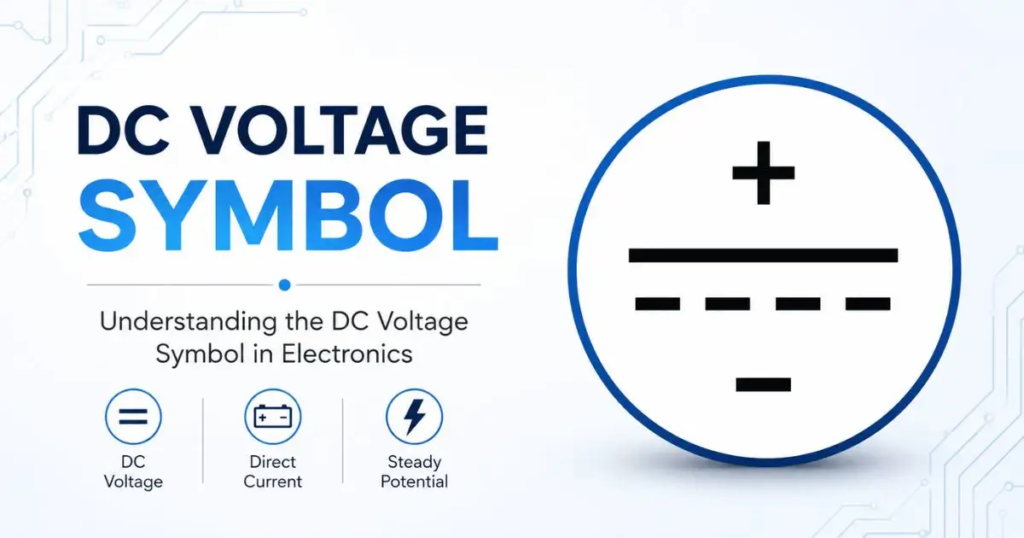
DC Voltage Symbol on a Multimeter at a Glance
What Is the DC Voltage Symbol?
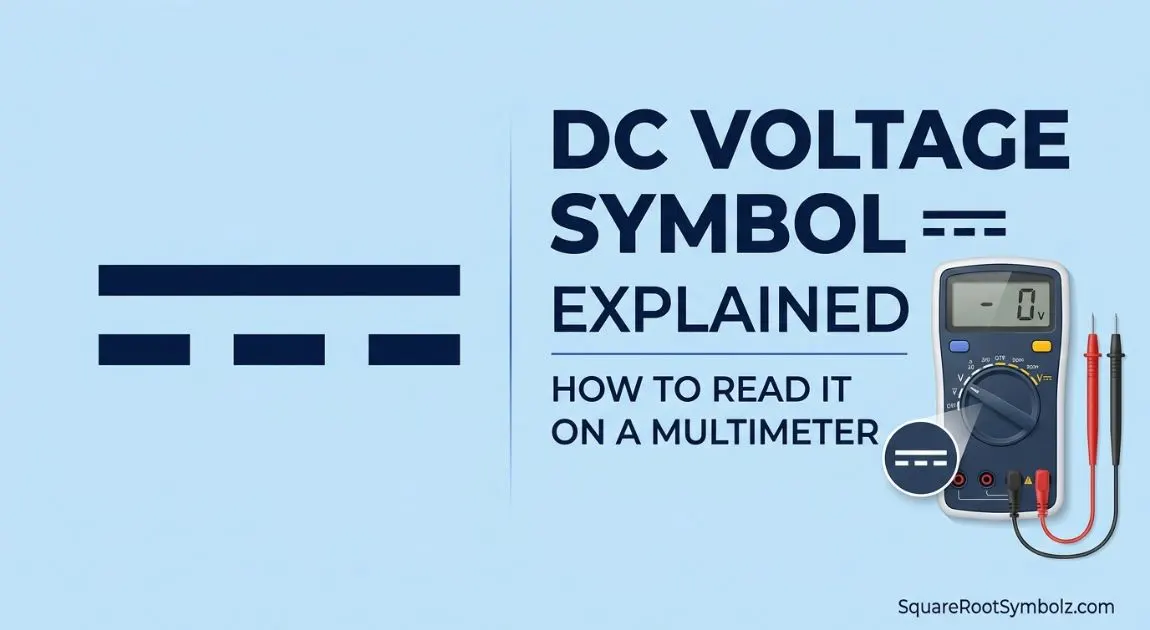
The DC voltage symbol on a multimeter is usually displayed as V⎓. The straight line with a dashed line beneath it represents direct current (DC), which flows in one direction.
Some multimeters may also label this setting as DCV or simply V with the DC symbol beside it.
This setting is used to measure voltage from devices powered by batteries, solar panels, USB power supplies, and other DC power sources.
What Does V⎓ Mean?
V stands for Voltage.
The ⎓ symbol represents Direct Current (DC).
Together, V⎓ means:
Measure the voltage of a direct current electrical source.
You’ll use this setting whenever you’re measuring voltage from sources that provide a constant electrical flow.
DC Voltage Symbol vs DCV
Both labels perform the same function.
| Label | Meaning | Common On |
| V⎓ | DC Voltage | Most digital multimeters |
| DCV | Direct Current Voltage | Older and analog multimeters |
| V— | Alternative DC voltage symbol | Some manufacturers |
Regardless of how it’s written, all three indicate the multimeter is set to measure direct current voltage.
Quick Answer Table
| Question | Answer |
| DC voltage symbol | V⎓ |
| Meaning | Direct Current Voltage |
| Used for | Batteries, USB devices, electronics, solar panels |
| Opposite symbol | V~ (AC Voltage) |
| Current direction | One direction only |
| Common voltage ranges | 1.5V, 5V, 9V, 12V, 24V, 48V |
What Is DC Voltage?
Before learning how to use the multimeter symbol, it’s important to understand what DC voltage actually is.
Direct Current (DC) voltage is electrical voltage that flows continuously in a single direction. Unlike alternating current (AC), which changes direction many times every second, DC maintains a steady flow from the positive terminal to the negative terminal.
This makes DC power ideal for portable electronics, rechargeable batteries, vehicles, and low-voltage electrical systems.
Definition of DC Voltage
DC voltage is the electrical potential difference between two points in a circuit where the current travels in only one direction.
It is measured in volts (V) using a multimeter set to the V⎓ position.
How DC Voltage Works
A DC power source has two terminals:
- Positive (+)
- Negative (−)
Electrons flow consistently from one terminal to the other through a connected circuit.
Because the direction never changes, DC voltage provides stable power for sensitive electronic components.
Examples include:
- Lithium-ion batteries
- Lead-acid batteries
- USB power supplies
- Power banks
- Solar panels
This stable current is one reason DC power is widely used in consumer electronics.
Common DC Power Sources
You’ll encounter DC voltage almost every day.
Some of the most common examples include:
- AA and AAA batteries
- 9V batteries
- Car batteries
- Motorcycle batteries
- Laptop batteries
- Smartphone batteries
- USB chargers
- Power banks
- Solar panels
- Electronic circuit boards
- LED lighting systems
All of these devices produce direct current, making the V⎓ setting the correct choice on a multimeter.
Why DC Voltage Matters
Understanding DC voltage helps you:
- Test battery health
- Diagnose electrical problems
- Verify charger output
- Check solar panel voltage
- Troubleshoot electronic circuits
- Prevent equipment damage
- Ensure safe operation
Whether you’re a DIY enthusiast or an electronics beginner, learning to measure DC voltage is one of the most useful multimeter skills.
What Does the DC Voltage Symbol Look Like on a Multimeter?
Most multimeters use internationally recognized electrical symbols to identify each measurement mode.
The DC voltage symbol is easy to recognize once you know what to look for.
Standard DC Voltage Symbol (V⎓)
The most common symbol is:
V⎓
It combines:
- V for voltage
- A solid horizontal line above a dashed line representing direct current
This is the standard symbol found on most modern digital multimeters.
Alternative Symbols (V—, DCV)
Not every manufacturer uses identical markings.
You may also see:
- DCV
- V—
- V with the DC current icon nearby
Although they look slightly different, they all represent the same measurement mode.
Where the Symbol Appears on Digital Multimeters
On a digital multimeter, the V⎓ setting is usually printed around the rotary selector dial.
You’ll often find it near:
- V~ (AC Voltage)
- Ω (Resistance)
- Continuity mode
- Diode test
Many auto-ranging multimeters automatically detect the voltage range after you select the DC voltage mode.
Where the Symbol Appears on Analog Multimeters
Analog multimeters also include the DC voltage symbol, although the labeling may vary.
Instead of an electronic display, the needle moves across a printed voltage scale.
Some analog models separate DC voltage into multiple ranges, such as:
- 2.5V
- 10V
- 50V
- 250V
You simply choose the appropriate range before taking a measurement.
Visual Identification Tips
Use these quick tips to identify the correct setting:
- Look for V⎓ instead of V~
- Find the straight line above a dashed line
- Avoid selecting the current (A) setting when measuring voltage
- Choose a voltage range higher than the expected reading if your meter is not auto-ranging
- Double-check the probe connections before testing
Tip: If you’re measuring a battery, power bank, or USB power supply, the correct setting is almost always V⎓, not V~.
Why This Symbol Is Important
Selecting the correct voltage mode ensures:
- Accurate voltage readings
- Better troubleshooting results
- Reduced risk of incorrect measurements
- Safer testing of electronic devices
Using the wrong setting may result in incorrect readings or an overload indication, which we’ll cover in the next section.
DC Voltage Symbol vs AC Voltage Symbol
One of the most common mistakes beginners make is confusing the DC voltage symbol (V⎓) with the AC voltage symbol (V~). Although they both measure voltage, they are used for completely different power sources.
Selecting the correct setting ensures accurate readings and protects both your multimeter and the device you’re testing.
DC Symbol Explained
The DC voltage symbol is written as V⎓. It consists of the letter V with a solid line above a dashed line, indicating direct current.
Use the V⎓ setting when measuring voltage from devices that supply electricity in one continuous direction.
Common examples include:
- Batteries
- Power banks
- USB ports
- Solar panels
- LED drivers
- Electronic circuit boards
- Automotive electrical systems
AC Symbol Explained
The AC voltage symbol appears as V~. The tilde (~) represents alternating current, which changes direction many times per second.
Use the V~ setting when measuring voltage from:
- Household wall outlets
- Extension cords
- Power strips
- Air conditioners
- Household appliances
- Electrical distribution systems
In many countries, household outlets provide 110–120V AC or 220–240V AC, depending on regional standards.
DC Voltage vs AC Voltage Comparison
| Feature | DC Voltage (V⎓) | AC Voltage (V~) |
| Current flow | One direction | Changes direction continuously |
| Symbol | V⎓ | V~ |
| Power source | Batteries, solar panels, USB | Wall outlets, generators |
| Stability | Constant | Alternating |
| Common applications | Electronics, vehicles, portable devices | Home and commercial power |
| Typical examples | 1.5V, 5V, 12V | 120V or 230V mains power |
Why Confusing Them Causes Incorrect Readings
Choosing the wrong voltage mode can produce inaccurate or misleading measurements.
For example:
- Measuring a 12V car battery using V~ may show an incorrect or unstable reading.
- Measuring a household outlet using V⎓ will not provide a meaningful AC voltage measurement.
Before testing any circuit, identify whether the power source is DC or AC, then select the matching multimeter setting.
How to Measure DC Voltage with a Multimeter
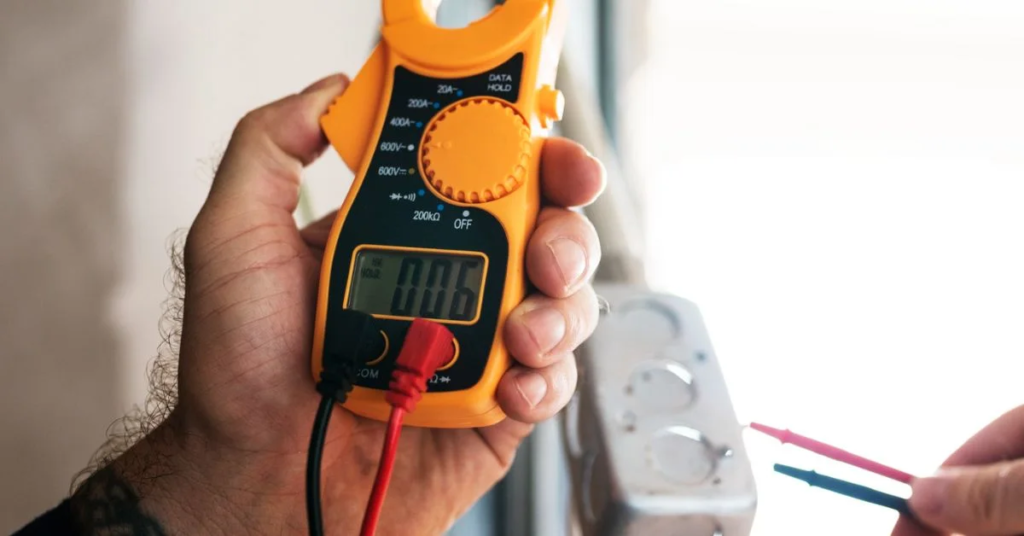
Measuring DC voltage is straightforward when you follow the correct steps. Whether you’re checking a battery, USB charger, or electronic circuit, the process is similar.
Step 1: Prepare the Multimeter
Before taking a measurement:
- Inspect the test leads for damage.
- Make sure the multimeter battery is charged.
- Turn the selector dial to the DC voltage (V⎓) setting.
If your multimeter is manual-ranging, select a voltage range higher than the expected voltage.
For example:
- 20V range for a 12V battery
- 200V range for higher DC voltages
Auto-ranging multimeters automatically choose the appropriate range.
Step 2: Select the DC Voltage Range
If your multimeter doesn’t auto-range:
| Expected Voltage | Recommended Range |
| 1.5V battery | 2V or 20V |
| 5V USB port | 20V |
| 9V battery | 20V |
| 12V battery | 20V |
| 24V system | 200V |
Choosing a range that’s too low may display OL or overload.
Step 3: Connect the Probes
Insert the probes into the correct ports.
- Black probe → COM
- Red probe → VΩ (Voltage/Resistance)
Never place the red probe in the 10A or mA current port when measuring voltage.
Step 4: Measure the Voltage
Touch the probes to the two terminals of the power source.
- Red probe → Positive (+)
- Black probe → Negative (−)
Hold the probes firmly until the reading stabilizes.
Step 5: Read the Display
The digital display will show the measured voltage.
Examples:
- AA battery: approximately 1.5V
- New 9V battery: approximately 9V
- USB port: approximately 5V
- Car battery (engine off): approximately 12.6V
If the reading is negative, the probes are reversed. This isn’t usually a problem when measuring DC voltage—simply swap the probes if you prefer a positive reading.
Safety Precautions
Follow these basic safety practices whenever using a multimeter:
- Inspect the probes before use.
- Never touch exposed metal probe tips during measurement.
- Use the correct voltage setting.
- Avoid measuring current while the leads are connected for voltage testing.
- Stay within your multimeter’s rated voltage limits.
- Disconnect power before changing measurement modes.
These simple habits improve both safety and measurement accuracy.
Common Devices That Use DC Voltage
Direct current powers many of the devices we rely on every day. Whenever you’re testing one of these devices, the V⎓ setting is usually the correct choice.
AA and AAA Batteries
Disposable and rechargeable household batteries provide DC voltage.
Typical values include:
- AA alkaline: about 1.5V
- AAA alkaline: about 1.5V
- Rechargeable NiMH: about 1.2V
Testing batteries with a multimeter is one of the easiest ways to check their condition.
Car Batteries
A standard passenger vehicle uses a 12V DC battery.
Typical readings are:
| Battery Condition | Voltage |
| Fully charged | 12.6–12.8V |
| Partially charged | 12.2–12.5V |
| Low battery | Below 12.0V |
Measuring battery voltage is a quick way to diagnose charging or starting problems.
Phone Chargers and USB Devices
USB ports deliver DC voltage.
Common standards include:
- USB-A: approximately 5V
- USB-C Power Delivery: variable DC voltages depending on the negotiated power profile
You can verify charger output using the DC voltage mode.
Solar Systems
Solar panels generate direct current before it is converted to alternating current by an inverter.
Technicians frequently use multimeters to check:
- Panel output voltage
- Battery bank voltage
- Charge controller input
- System troubleshooting
Electronic Circuits
Most electronic components operate using DC voltage.
Examples include:
- Microcontrollers
- Sensors
- Breadboard projects
- Arduino and Raspberry Pi circuits
- Logic boards
- Power supply modules
Measuring voltage helps identify power supply issues and faulty components.
LED Lighting
Many LED lighting systems run on low-voltage DC power.
Common examples include:
- LED strip lights
- Decorative lighting
- Cabinet lighting
- Automotive LED lights
Testing the supply voltage can quickly identify power problems.
Automotive Electronics
Modern vehicles contain dozens of DC-powered systems, including:
- Dashboard electronics
- Engine control modules
- Audio systems
- Lighting circuits
- Power windows
- Fuel pumps
- Sensors
A multimeter is one of the most useful tools for diagnosing automotive electrical faults.
By understanding where DC voltage is commonly used, you’ll know when to select the V⎓ setting and how to interpret your measurements with confidence.
Common Mistakes When Using the DC Voltage Setting
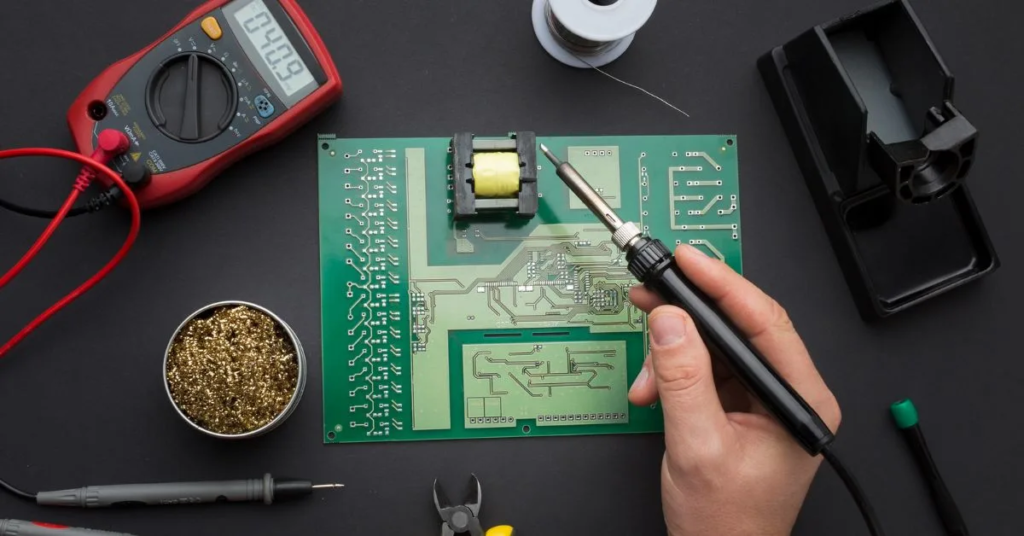
Even experienced users can make mistakes when using a multimeter. Understanding these common errors helps you get accurate readings and protects both your multimeter and the electrical components you’re testing.
Wrong Function Selected
One of the most common mistakes is choosing the wrong measurement mode.
For example, selecting current (A) or resistance (Ω) instead of DC voltage (V⎓) can produce incorrect readings or even damage the multimeter.
Tip: Always double-check that the selector dial is set to V⎓ before testing batteries or other DC power sources.
Wrong Probe Ports
Most multimeters have multiple input ports.
For measuring voltage:
- Black probe → COM
- Red probe → VΩ
If the red probe is inserted into the 10A or mA port, the reading will be incorrect and could blow the meter’s internal fuse.
Incorrect Range
Manual-ranging multimeters require you to choose the correct voltage range.
If the selected range is too low, the display may show:
- OL
- 1
- Overload
Choose the next higher voltage range than the expected voltage.
For example:
- Measuring a 12V battery → Use the 20V range.
Reverse Probe Connection
If you accidentally swap the probes:
- Red → Negative
- Black → Positive
Most digital multimeters simply display a negative (-) sign.
This does not damage the meter. It only indicates the polarity is reversed.
Measuring Current Instead of Voltage
Voltage and current are measured differently.
Never attempt to measure voltage while the multimeter is set to the current (A) mode.
Doing so can:
- Blow the internal fuse
- Damage the multimeter
- Create a short circuit
Always use V⎓ when measuring voltage.
OL or Overload Message
An OL (Over Limit) message usually means one of the following:
- Selected range is too low
- Voltage exceeds the chosen range
- Incorrect measurement mode
Increase the measurement range and test again.
Zero Reading
A display reading close to 0.00V may indicate:
- Dead battery
- Loose probe connection
- Wrong test points
- Incorrect multimeter setting
Verify the connections before assuming the power source has failed.
Unstable Reading
A fluctuating reading may occur because of:
- Poor probe contact
- Weak battery connection
- Electrical interference
- Damaged probes
- Loose wiring
Ensure the probes make firm contact with clean metal surfaces.
Conclusion
Understanding the DC voltage symbol on a multimeter is an essential skill for anyone working with electronics, automotive systems, batteries, or renewable energy equipment. Once you recognize that V⎓, DCV, and similar markings all indicate direct current voltage, choosing the correct measurement mode becomes much easier.
Whether you’re checking a 1.5V battery, testing a 12V car battery, verifying a USB charger, or troubleshooting an electronic circuit, selecting the proper DC voltage setting ensures reliable measurements and reduces the risk of errors. With the tips and comparisons in this guide, you’ll be able to identify the correct symbol quickly and use your multimeter with greater confidence and accuracy.
FAQs
What is the DC voltage symbol?
The DC voltage symbol is V⎓, indicating the multimeter is set to measure direct current voltage.
What does V⎓ mean?
V⎓ stands for Voltage (V) measured in Direct Current (DC) circuits.
What does DCV mean?
DCV is another label for Direct Current Voltage and performs the same function as V⎓.
Which setting measures a battery?
Use the V⎓ or DCV setting because batteries supply direct current.
Can you measure AC using the DC setting?
No. AC voltage should be measured using the V~ setting for accurate results.
Why is my multimeter showing OL?
OL usually means the selected voltage range is too low or the meter is overloaded.
What happens if I reverse the probes?
The reading becomes negative on most digital multimeters, but no damage typically occurs.
What voltage should a 1.5V battery read?
A fresh AA or AAA alkaline battery typically measures 1.5V to 1.6V, while a significantly lower reading indicates the battery is becoming depleted.
DC Voltage Symbol Cheat Sheet
This quick-reference table summarizes the most important information about the DC voltage symbol.
| Symbol | Meaning | Used For | Common Voltage Range | Typical Applications |
| V⎓ | Direct Current Voltage | Measuring DC voltage | 1.5V–48V+ | Batteries, electronics, automotive systems |
| DCV | Direct Current Voltage | Same as V⎓ | Depends on meter | Older and analog multimeters |
| V— | Alternative DC symbol | Measuring DC voltage | Varies | Some multimeter brands |
| V~ | Alternating Current Voltage | Measuring AC voltage | 110V–240V | Household outlets and appliances |
| Ω | Resistance | Measuring resistance | Ohms | Resistors, continuity testing |
| A⎓ | Direct Current | Measuring DC current | mA to A | Electronic circuits |
| A~ | Alternating Current | Measuring AC current | Depends on meter | AC electrical systems |
Quick Identification Tips
- V⎓ = Measure batteries and other direct current sources.
- V~ = Measure household AC power.
- Ω = Measure resistance.
- A = Measure current, not voltage.
- COM = Black probe connection.
- VΩ = Red probe connection for voltage and resistance.
Key Takeaways
The DC voltage symbol (V⎓) is one of the most frequently used settings on a multimeter because it measures the voltage produced by batteries, USB power supplies, solar panels, electronic circuits, and other direct current sources.
To use it correctly:
- Select V⎓ or DCV before measuring DC power.
- Connect the black probe to COM and the red probe to VΩ.
- Choose an appropriate voltage range if your multimeter is not auto-ranging.
- Never confuse V⎓ with V~, which is used for alternating current.
- Follow basic safety practices and verify your probe connections before taking measurements.
Knowing how to identify and use the DC voltage setting helps you troubleshoot electrical problems confidently, obtain accurate readings, and work more safely with electronic devices.

I’m the creator of SquareRootSymbolz.com, where I publish easy-to-understand guides on symbols, Unicode characters, Alt codes, keyboard shortcuts, and copy-and-paste text symbols. My goal is to provide accurate, well-researched, and user-friendly content that helps readers quickly find the information they need.