A space bar test measures how quickly you can repeatedly press the spacebar during a timed challenge. Your result can be shown as CPS, HPS, or total spacebar presses, depending on the tool. For gamers, typists, and anyone curious about keyboard speed, it turns one ordinary key into a simple performance challenge.
I have tested keyboard-speed concepts from both the practical and technical side, and the same frustration appears again and again: people see a score but do not know whether it is good. The answer depends on test duration, keyboard hardware, technique, rhythm, and consistency. This guide explains those factors so you can test fairly and improve without simply mashing the key harder.
What is Spacebar Speed Test? — Space Bar Test
A spacebar speed test is an online keyboard challenge that counts how many times you can press the spacebar during a selected time period. The result may appear as CPS, HPS, total presses, or another speed metric. The basic goal is simple: press, release, repeat, and beat your previous result.
Unlike a normal typing test, this challenge isolates one key. That makes it useful for measuring repeated keystrokes, tapping speed, keyboard control, rhythm, and short-burst performance. Different tools use different timers, so a five-second score should not be compared directly with a 60-second score.
What Is a Good Spacebar Score?
There is no single universal “good” score because CPS depends on duration, keyboard, technique, and test conditions. One current tool reports an overall historical average of 6.27 CPS from its dataset, while another presents 6–7 CPS as an average range. Treat such figures as benchmarks, not official standards.
A better approach is to compare your same-duration runs. If you consistently score 7 CPS in ten-second tests and later reach 8 CPS under similar conditions, that is meaningful progress. Consistency is often more useful than chasing one unusually high burst caused by timing or technique.
How to check spacebar speed here Space Bar Test
To check your spacebar speed, choose a test duration, start the challenge, and press the spacebar repeatedly until the timer ends. Most counters automatically calculate your result. Some tools let the first spacebar press start the timer, while others use a separate Start button.
For a fair comparison, keep the keyboard, duration, posture, and pressing method consistent between attempts. A laptop keyboard and a mechanical desktop keyboard can feel very different. Run several attempts instead of relying on one result, then record your best score and average to see whether your practice is actually working.
Why do I need to use this test? Space Bar Test
The main reason to use a spacebar test is to measure a very specific type of keyboard performance. Gamers may use it to practice repeated inputs, while casual users can treat it as a reaction, rhythm, or friendly competition challenge. The test is also a quick way to track personal improvement.
There is also a motivational side. Seeing a personal best move from 6 to 7 CPS can make practice feel tangible. Gaming performance, keyboard dexterity, reaction control, and consistency are easier to discuss when you have a repeatable number instead of simply saying, “I think I’m faster.”
Spacebar Duration Comparison
Short tests emphasize burst speed and reaction, while longer tests reveal rhythm, stamina, and consistency. A one-second attempt can reward an explosive opening, whereas a 30- or 60-second run asks you to maintain controlled movement. That is why different durations measure slightly different aspects of performance.
| Duration | What it emphasizes |
| 1–2 seconds | Burst speed |
| 5 seconds | Fast rhythm |
| 10 seconds | Speed and consistency |
| 30 seconds | Sustained performance |
| 60 seconds | Endurance and control |
How Does The Space Bar Clicker Work? Space Bar Test
A spacebar clicker records each valid press of the space key while a timer is running. When the countdown ends, the software totals the presses and may divide them by elapsed seconds to produce a CPS or HPS score. Some tools also show rankings, personal records, or live performance data.
The calculation itself is straightforward: speed = total presses ÷ test duration in seconds. For example, 40 presses during an eight-second challenge equals 5 presses per second. The important detail is that different websites may label the same basic measurement as CPS, HPS, or SPS, so always check what the particular tool reports.
What is a Spacebar Test? Space Bar Test
A spacebar test, also called a space bar speed test, spacebar clicker, or spacebar counter, measures repeated presses of the space key within a chosen time limit. It can be used for quick challenges, keyboard practice, gaming preparation, and personal benchmarking.
The test looks simple, but your result reflects several variables at once: finger movement, keyboard response, timing, rhythm, hand position, and endurance. That is why two people can use the same timer and receive very different scores. Your best comparison is usually against your own previous results under matching conditions.
Best Finger for the Spacebar Test
For most people, the thumb is the natural choice because the spacebar is designed to be reached by the thumb during normal typing. However, competitive testing can involve different techniques. The important point is to keep your chosen method consistent when comparing results.
Using multiple fingers may produce a higher burst score for some people, but it changes the technique being measured. If your goal is gaming practice, use the technique that matches your game. If your goal is pure speed experimentation, you can test different methods and compare their results separately.
How to calculate Clicks Per Second in Spacebar Test?
Clicks Per Second (CPS) = Total Spacebar Presses ÷ Total Test Time in Seconds. For example, if you press the spacebar 35 times during a five-second test, your score is 35 ÷ 5 = 7 CPS. This calculation measures the average rate across the complete test, not just your fastest moment.
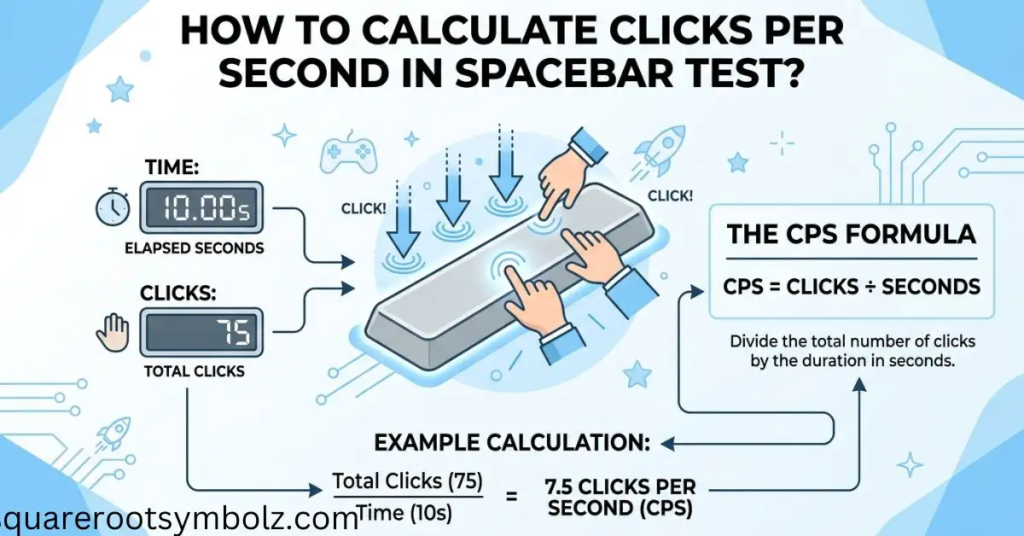
Some websites use HPS, meaning hits per second, rather than CPS. For a simple spacebar challenge, the underlying calculation can be the same. What matters is understanding the site’s measurement before comparing your number with another tool, especially when the timers or scoring systems differ.
| Total presses | Duration | Result |
| 20 | 5 seconds | 4 CPS |
| 35 | 5 seconds | 7 CPS |
| 60 | 10 seconds | 6 CPS |
| 90 | 15 seconds | 6 CPS |
| 420 | 60 seconds | 7 CPS |
How to perform a Spacebar Speed Test? Space Bar Test
Start by selecting your timer, then begin the challenge and press the spacebar as rapidly as you can while maintaining a controlled rhythm. When the timer ends, stop immediately and review your total presses and speed score. Most browser-based tools provide the result automatically.
For your first attempt, do not worry about winning. Focus on finding a comfortable press-and-release rhythm. Once you know your natural speed, repeat the same duration several times. This creates a useful baseline and makes later improvements easier to measure than random attempts with different timers.
1. Understand Proper Technique
Keep your hand relaxed and use a controlled pressing motion instead of striking the key with unnecessary force. A relaxed thumb, stable wrist, consistent contact point, and quick release can make repeated presses feel smoother. The goal is efficient movement rather than simply pushing harder.
2. Warm-Up Exercises
A short warm-up can help your fingers and hand feel comfortable before repeated pressing. Gentle finger taps, wrist rotations, and light stretches are simple options. Do not treat a speed challenge like a contest that requires pain; discomfort is a reason to stop rather than push through it.
3. Start Slow and Gradually Increase Speed
Begin at a pace where every press is controlled, then increase your rhythm gradually. Trying to reach maximum speed immediately can create missed inputs and uneven timing. Building accuracy first, followed by speed, gives you a more repeatable technique and a better foundation for higher scores.
4. Focus on Accuracy
Fast pressing is useful only when the inputs are actually registered. Concentrate on hitting the spacebar consistently, releasing fully, and avoiding accidental or missed presses. A slightly slower score with reliable input can be more valuable for gaming practice than a faster result that depends on inconsistent technique.
5. Break Down Practice Sessions
Instead of repeating the test endlessly, divide practice into short blocks. Try several burst-speed runs, followed by a longer endurance run. This lets you identify whether your limitation is initial speed, rhythm, or the ability to maintain performance once your hand begins to fatigue.
6. Take Breaks and Rest
Repeated high-speed pressing can create hand fatigue, especially during long practice sessions. Take regular breaks and allow your hands to recover. More testing is not automatically better testing; a rested hand can produce cleaner, more consistent results than a tired hand that is simply being pushed harder.
Spacebar Test Ranks Space Bar Test
Some online tools convert your CPS into a rank or performance label. For example, ClicksPerSecond currently uses categories ranging from Sloth and Turtle through Rabbit, Wolf, Tiger, and Cheetah, with Cheetah beginning at 9.1+ CPS on its displayed scale. These ranks are site-specific rather than universal gaming standards.
That distinction matters when you compare scores. A “Cheetah” on one website does not necessarily equal a “Cheetah” somewhere else because each platform can choose its own thresholds. For meaningful progress, save your score, duration, keyboard, and technique and compare future runs under the same conditions.
| Example rank system | CPS range |
| Sloth | 0.0–3.5 |
| Turtle | 3.6–5.5 |
| Panda | 5.6–6.6 |
| Mouse | 6.7–6.9 |
| Buffalo | 7.0–7.5 |
| Rabbit | 7.6–8.0 |
| Wolf | 8.1–8.5 |
| Tiger | 8.6–9.0 |
| Cheetah | 9.1+ |
These ranges belong specifically to the displayed ClicksPerSecond ranking system, not to an official industry-wide standard.
Conclusion
A space bar test is a simple way to turn keyboard pressing into a measurable challenge. Whether you care about gaming, keyboard dexterity, personal records, or just beating a friend’s score, the most useful approach is to keep your test conditions consistent and track progress over time.
Remember that CPS is only one number. Your timer, keyboard, technique, rhythm, accuracy, and endurance all affect the result. Start with a comfortable pace, practice intelligently, rest when needed, and compare your results fairly. A steady improvement from one test to the next is more meaningful than a single lucky high score.
FAQs
What is a space bar test?
A space bar test measures how many times you can press the spacebar within a selected period. Results are commonly shown as CPS, HPS, SPS, or total presses.
What is a good spacebar speed?
There is no universal standard, but several current tools place ordinary results around 6–7 presses per second, with 8–10 CPS generally considered fast. Benchmarks vary by test and technique.
How many times can you press the spacebar in 10 seconds?
A person averaging 6–7 CPS would make approximately 60–70 presses in 10 seconds. Faster users can exceed that, but results depend heavily on technique and keyboard.
How can I increase my spacebar speed?
Practice consistently, maintain a relaxed hand, develop a steady rhythm, prioritize accurate presses, and gradually increase speed. Short practice sessions with breaks can be more useful than exhausting repeated attempts.
Is CPS the same as HPS?
They can represent essentially the same rate when both are calculated as presses divided by seconds, but the terminology varies by website. Always check how the specific test defines its metric.
Does the keyboard affect spacebar test results?
Yes. Keyboard design, key travel, switch type, stabilizers, actuation characteristics, and overall feel can influence how quickly and consistently you can press the spacebar.
Is a 10 CPS spacebar score good?
A sustained 10 CPS is a strong result on many commonly displayed benchmark systems, although the exact rating depends on the test duration and scoring method. Some current tools classify 10+ CPS as elite or top-level performance.
Is a spacebar test useful for gaming?
Yes. It can be useful for practicing repeated keyboard inputs, rhythm, and finger control in games where the spacebar performs an important action. However, spacebar speed alone does not measure overall gaming skill.

I’m the creator of SquareRootSymbolz.com, where I publish easy-to-understand guides on symbols, Unicode characters, Alt codes, keyboard shortcuts, and copy-and-paste text symbols. My goal is to provide accurate, well-researched, and user-friendly content that helps readers quickly find the information they need.