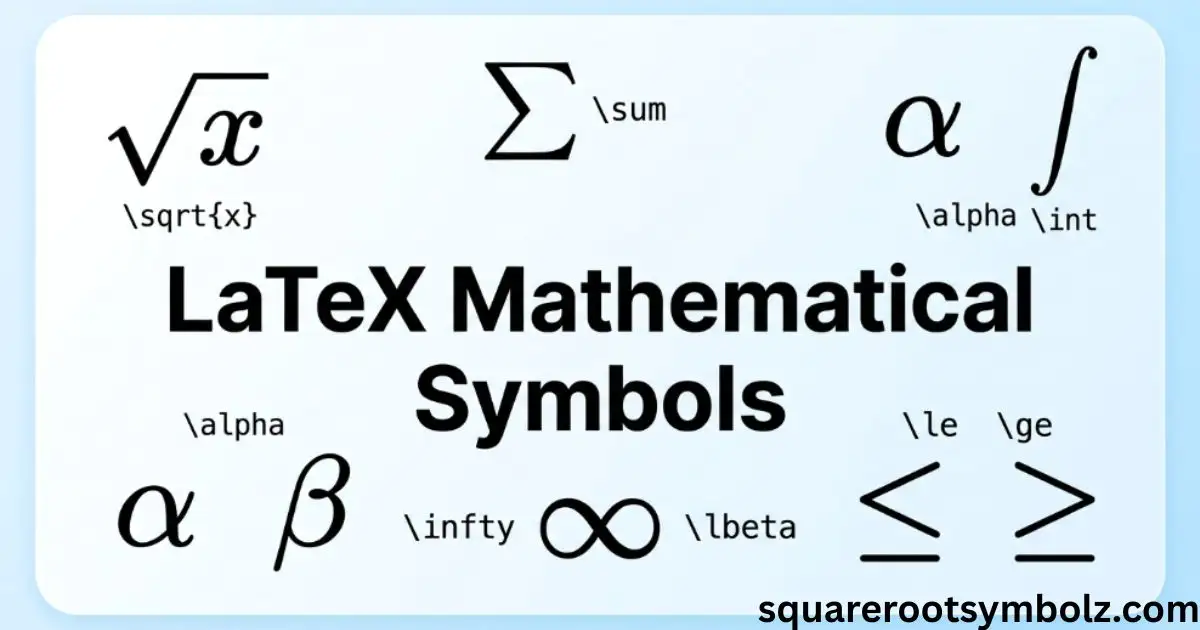
LaTeX mathematical symbols are commands that turn simple text such as \alpha, \times, or \int into professionally typeset mathematical notation. If you have struggled with Greek letters, operators, fractions, roots, arrows, or equations, this guide brings the most useful LaTeX codes, math symbols, commands, operators, and notation together in one place.
I have organized this reference around the problems people actually face when writing mathematics. You will find symbol commands, math mode, Greek letters, comparison operators, fractions, roots, integrals, matrices, set notation, logic symbols, and arrows, with practical examples you can copy into your own document. The goal is simple: find the symbol you need and understand why its command works.
Basic math operators
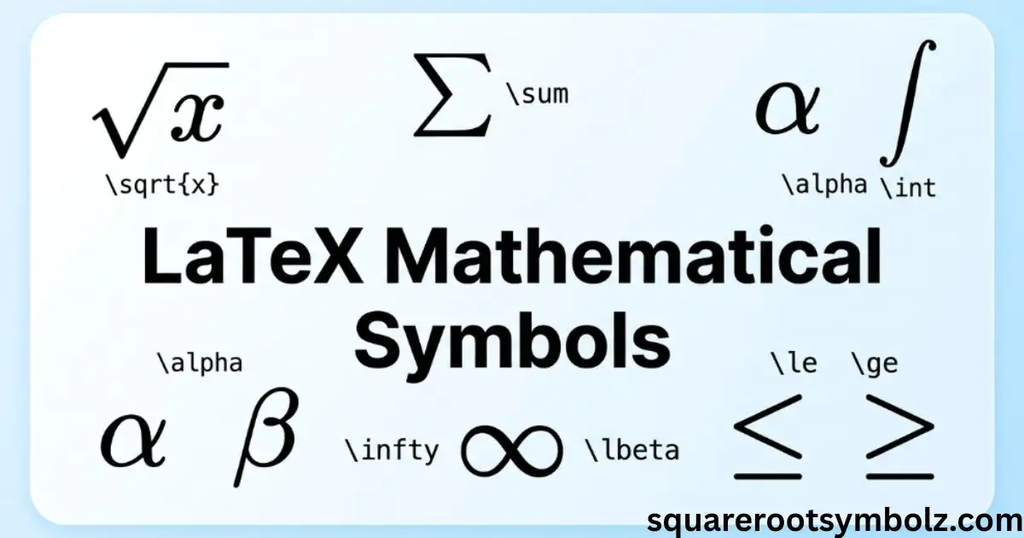
Basic math operators are the symbols you use constantly in equations: +, -, ×, ÷, ±, ∓, and =. In LaTeX, commands such as \times, \div, \pm, and \mp produce the familiar multiplication, division, plus-minus, and minus-plus symbols.
For example, a \times b = c produces a multiplication expression, while x \pm y expresses two possible values. The important habit is to recognize that some symbols are ordinary keyboard characters, while others need named LaTeX commands. This distinction becomes especially useful when you move from simple arithmetic to advanced mathematics.
| Symbol | LaTeX code | Common use |
| + | + | Addition |
| − | – | Subtraction |
| × | \times | Multiplication |
| ÷ | \div | Division |
| ± | \pm | Plus or minus |
| ∓ | \mp | Minus or plus |
| ≠ | \neq | Not equal |
| ≈ | \approx | Approximately equal |
| ≡ | \equiv | Identically equivalent |
A useful rule is to keep commands inside math mode. Overleaf notes that mathematical symbols such as Greek letters, subscripts, integrals, and modifiers are intended for mathematical content rather than ordinary text.
Comparison symbols
Comparison symbols describe relationships between values. Common examples include less than, greater than, less than or equal to, greater than or equal to, much less than, and proportional to. NovaMath lists <, >, \le, \ge, \ll, \gg, and \propto among commonly used comparison notation.
Some commands have equivalent forms. For example, \le and \leq both produce ≤, while \ge and \geq both produce ≥. The important point is consistency. Choose the command style you prefer and use it consistently throughout a paper, worksheet, thesis, or mathematical document.
| Symbol | LaTeX code | Meaning |
| < | < | Less than |
| > | > | Greater than |
| ≤ | \le or \leq | Less than or equal to |
| ≥ | \ge or \geq | Greater than or equal to |
| ≪ | \ll | Much less than |
| ≫ | \gg | Much greater than |
| ∝ | \propto | Proportional to |
| ≠ | \neq | Not equal to |
| ≈ | \approx | Approximately equal to |
| ≅ | \cong | Congruent to |
These relationships are especially common in algebra, geometry, calculus, physics, statistics, and scientific writing. OeisWiki includes a much larger collection of relation operators, including subset, precedence, congruence, parallel, perpendicular, and membership relationships.
Greek letters
Greek letters are among the most frequently searched LaTeX mathematical symbols because they appear throughout algebra, calculus, statistics, physics, geometry, and higher mathematics. Common lowercase commands include \alpha, \beta, \gamma, \delta, \theta, \lambda, \mu, \pi, \sigma, and \omega.
The naming pattern is pleasantly simple: type a backslash followed by the English name of the Greek letter. For uppercase Greek letters with a distinct mathematical shape, capitalize the command, such as \Gamma, \Delta, \Theta, \Lambda, \Pi, \Sigma, \Phi, \Psi, and \Omega.
| Symbol | LaTeX code | Symbol | LaTeX code |
| α | \alpha | β | \beta |
| γ | \gamma | δ | \delta |
| ε | \epsilon | θ | \theta |
| λ | \lambda | μ | \mu |
| π | \pi | ρ | \rho |
| σ | \sigma | τ | \tau |
| φ | \phi | ω | \omega |
| Γ | \Gamma | Δ | \Delta |
| Θ | \Theta | Λ | \Lambda |
| Π | \Pi | Σ | \Sigma |
| Φ | \Phi | Ω | \Omega |
A subtle point often surprises beginners: LaTeX does not need a special command for uppercase Greek letters that look exactly like Latin letters. For example, uppercase Alpha resembles A, so ordinary A is sufficient. Overleaf’s reference shows the standard Greek-letter command pattern and variant forms such as \epsilon and \varepsilon.
Fractions and roots
Fractions and roots are fundamental LaTeX mathematical constructions. A fraction is created with \frac{a}{b}, while a square root uses \sqrt{x}. An nth root can be written with \sqrt[n]{x}. These commands are particularly useful because they automatically create the correct mathematical structure rather than forcing you to position characters manually.
For example, \frac{1}{2} represents one-half, \sqrt{x} represents the square root of x, and \sqrt[3]{x} represents the cube root of x. Braces are important when an expression contains more than one character. Writing \sqrt{x+1} tells LaTeX that the entire expression belongs under the radical.
| Mathematical form | LaTeX code |
| 1/2 | \frac{1}{2} |
| √x | \sqrt{x} |
| √(x + 1) | \sqrt{x+1} |
| ∛x | \sqrt[3]{x} |
| nth root | \sqrt[n]{x} |
| x/y | \frac{x}{y} |
This same principle applies to more complicated expressions. For example, \frac{x+1}{x-1} keeps the numerator and denominator grouped correctly. It is one of the places where learning LaTeX syntax pays off quickly because a small number of commands can handle very complicated mathematical expressions.
Superscripts and subscripts
Superscripts and subscripts are essential for exponents, indexes, sequences, scientific notation, and mathematical variables. In LaTeX, ^ creates a superscript and _ creates a subscript. Overleaf explains that braces are needed when the superscript or subscript contains more than one character.
For example, x^2 creates x squared, while x^{10} creates x to the tenth power. Similarly, a_1 creates a subscripted variable and x_{n+1} keeps the entire n+1 expression in the subscript.
| Purpose | LaTeX code | Result |
| Square | x^2 | x² |
| Tenth power | x^{10} | x¹⁰ |
| First term | a_1 | a₁ |
| Indexed variable | x_n | xₙ |
| Compound index | x_{n+1} | xₙ₊₁ |
| Compound exponent | x^{n+1} | xⁿ⁺¹ |
A common beginner mistake is forgetting braces. x^10 does not mean that both characters are treated as one superscript group in every situation. Writing x^{10} makes your intended structure explicit and prevents more complicated expressions from becoming difficult to read.
Integral symbol in LaTeX
The integral symbol is written with \int. A definite integral can include lower and upper limits, as in \int_a^b f(x)\,dx. For multiple integration, LaTeX also provides commands such as \iint, \iiint, and \oint. NovaMath includes these commands in its practical reference, while Overleaf treats integrals as part of its broader mathematical-expression system.
The small spacing command \, is often used before the differential, as in \,dx, because it separates the function from the differential visually. This is a small detail, but it can make mathematical typesetting look much cleaner in calculus, physics, engineering, and scientific documents.
| Symbol | LaTeX code | Use |
| ∫ | \int | Integral |
| ∬ | \iint | Double integral |
| ∭ | \iiint | Triple integral |
| ∮ | \oint | Contour integral |
| ∫ₐᵇ | \int_a^b | Definite integral |
For example:
\int_0^1 x^2\,dx
uses a lower limit of 0, an upper limit of 1, the function x^2, and the differential dx.
Summation and product symbols
Summation and product notation is especially useful in algebra, statistics, probability, calculus, and discrete mathematics. The main commands are \sum for summation and \prod for product notation. NovaMath also demonstrates \lim and \infty alongside these expressions.
Limits can be written using a subscript and arrow, such as \lim_{x \to 0} f(x). For a summation, \sum_{i=1}^{n} a_i places the lower and upper indexing information around the summation operator in display mathematics.
| Symbol | LaTeX code | Meaning |
| ∑ | \sum | Summation |
| ∏ | \prod | Product |
| lim | \lim | Limit |
| ∞ | \infty | Infinity |
| → | \to | Approaches / maps to |
One useful detail is that \sum is an operator, while \Sigma is the uppercase Greek letter sigma. They may look related, but they have different mathematical roles. The distinction becomes important when writing statistics, where Σ can represent a parameter or covariance matrix while ∑ represents a summation operation.
Matrix LaTeX code
Matrices confuse many first-time LaTeX users because several environments look similar while producing different bracket styles. NovaMath specifically demonstrates pmatrix, bmatrix, vmatrix, and matrix. Columns are separated with &, and new rows are created with \\.
For example, a two-by-two matrix can use the pmatrix environment when parentheses are wanted. A bmatrix environment creates square brackets, while vmatrix is commonly used for determinant notation. The underlying structure stays similar, so learning one environment makes the others much easier.
Parentheses (pmatrix)
The pmatrix environment creates a matrix surrounded by parentheses. A simple two-by-two example uses & between columns and \\ to begin the next row. This is common in linear algebra, systems of equations, transformations, and coordinate calculations.
Square brackets (bmatrix)
The bmatrix environment uses square brackets around the matrix. It is useful when the mathematical context calls for bracket notation, particularly in linear algebra and matrix multiplication. The internal syntax still follows the same column and row pattern used by other matrix environments.
Vertical bars (vmatrix — determinants)
The vmatrix environment produces vertical bars around a matrix and is commonly used for determinants. It is especially useful when presenting determinant calculations in linear algebra without manually constructing every delimiter.
No brackets (matrix)
The matrix environment creates the matrix without surrounding brackets. This can be useful when the surrounding equation already supplies its own grouping or when a bare matrix is the desired visual form.
Set theory symbols
Set theory uses a distinctive vocabulary of membership, inclusion, union, intersection, and number-system symbols. Common LaTeX commands include \in, \notin, \subset, \subseteq, \cup, \cap, and \emptyset. OeisWiki also lists commands representing natural numbers, integers, rational numbers, real numbers, and complex numbers.
These symbols appear across algebra, probability, discrete mathematics, calculus, and computer science. They also help connect LaTeX syntax with the underlying mathematical knowledge graph: a symbol is not merely decoration but represents a relationship between mathematical objects.
| Symbol | LaTeX code | Meaning |
| ∈ | \in | Is an element of |
| ∉ | \notin | Is not an element of |
| ⊂ | \subset | Proper subset |
| ⊆ | \subseteq | Subset |
| ⊃ | \supset | Proper superset |
| ⊇ | \supseteq | Superset |
| ∪ | \cup | Union |
| ∩ | \cap | Intersection |
| ∅ | \emptyset | Empty set |
| ∖ | \setminus | Set difference |
Number sets are another important part of this vocabulary. Depending on the document and packages being used, commands such as \mathbb{N}, \mathbb{Z}, \mathbb{Q}, \mathbb{R}, and \mathbb{C} can represent natural numbers, integers, rational numbers, real numbers, and complex numbers. OeisWiki documents these number-set relationships directly.
Logic symbols
Logic symbols allow mathematical statements to express concepts such as “for all,” “there exists,” “not,” “and,” “or,” and implication. Common LaTeX commands include \forall, \exists, \neg, \land, \lor, \Rightarrow, and \Leftrightarrow.
For example, \forall x means “for all x,” while \exists x means “there exists an x.” The distinction between implication and equivalence is also important: \Rightarrow represents implication, while \Leftrightarrow represents a two-way equivalence relationship.
| Symbol | LaTeX code | Meaning |
| ∀ | \forall | For all |
| ∃ | \exists | There exists |
| ∄ | \nexists | There does not exist |
| ¬ | \neg | Not |
| ∧ | \land | Logical AND |
| ∨ | \lor | Logical OR |
| ⇒ | \Rightarrow | Implies |
| ⇔ | \Leftrightarrow | If and only if |
A useful semantic distinction is that \land and \lor represent logical operations, while similar-looking symbols may have different roles in other branches of mathematics. Keeping the command and its meaning together prevents notation errors when moving between logic, set theory, algebra, and computer science.
Arrows
Arrows appear in functions, mappings, limits, geometry, logic, proofs, and mathematical diagrams. Common commands include \rightarrow, \leftarrow, \leftrightarrow, \Rightarrow, \Leftarrow, and \Leftrightarrow. OeisWiki and Overleaf both include arrows as an important category of mathematical notation.
The short command \to is commonly used as an alternative to \rightarrow. For example, x \to 0 is widely used in limits. Longer arrows such as \longrightarrow are useful when the visual length of the arrow needs to communicate a mapping or relationship.
| Symbol | LaTeX code | Common use |
| → | \rightarrow | Right arrow |
| ← | \leftarrow | Left arrow |
| ↔ | \leftrightarrow | Two-way relationship |
| ⇒ | \Rightarrow | Implication |
| ⇐ | \Leftarrow | Reverse implication |
| ⇔ | \Leftrightarrow | Equivalence |
| ↦ | \mapsto | Mapping |
| ↑ | \uparrow | Up arrow |
| ↓ | \downarrow | Down arrow |
The right command depends on the mathematical meaning, not simply the shape you want. That is one reason a good LaTeX symbol reference should include both the command and its semantic use.
Common formatting commands
LaTeX mathematical symbols work as part of a larger mathematical typesetting system. Common formatting commands include \mathbf{x} for bold mathematical characters, \mathit{x} for italic formatting, \mathcal{F} for calligraphic styling, and \mathbb{R} for blackboard-bold notation when the required package support is available. NovaMath includes these commands as part of its formatting reference.
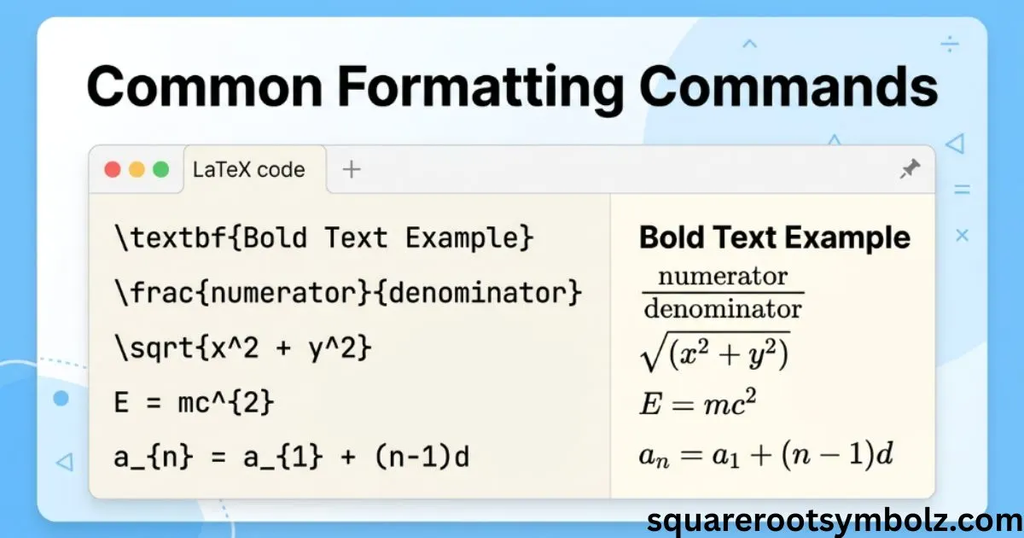
Math mode is equally important. Overleaf explains that inline math can be written using \(…\), $…$, or the math environment, while display mathematics can use \[…\], displaymath, or equation environments.
| Purpose | Example LaTeX |
| Bold math | \mathbf{x} |
| Italic math | \mathit{x} |
| Calligraphic | \mathcal{F} |
| Blackboard bold | \mathbb{R} |
| Inline math | \(x^2\) |
| Display math | \[x^2\] |
Some symbols require additional packages. Overleaf specifically notes that its symbol palette can identify package requirements, with examples such as amsmath. CTAN also maintains collections covering standard and AMS mathematical symbols.
Conclusion
LaTeX mathematical symbols become much easier once you stop treating every command as something that must be memorized. The most useful approach is to understand the main families: operators, comparison symbols, Greek letters, roots, fractions, integrals, sums, matrices, sets, logic, and arrows.
For everyday work, commands such as \alpha, \times, \sqrt{x}, \frac{a}{b}, \int, \sum, \in, \forall, and \rightarrow cover a large portion of mathematical writing. When you need less common notation, a reliable reference such as Overleaf or the CTAN symbol resources can save time and reduce formatting mistakes.
The real advantage of LaTeX mathematical symbols is consistency. Once you understand math mode, braces, commands, packages, and symbol families, even complicated equations become much easier to write, edit, and maintain.
FAQs
How do I type an integral symbol in LaTeX?
Use \int inside math mode. For a definite integral, add lower and upper limits, such as \int_a^b. For a cleaner differential, many mathematical documents use \,dx after the integrand. NovaMath and Overleaf both demonstrate integral notation in their LaTeX references.
How do I write a matrix in LaTeX?
Use a matrix environment such as pmatrix, bmatrix, vmatrix, or matrix. Use & to separate columns and \\ to start a new row. The environment determines whether the matrix has parentheses, square brackets, vertical bars, or no surrounding brackets.
Do I need to memorize all LaTeX math symbols?
No. A practical reference is usually more useful than memorizing hundreds of commands. The most common commands become familiar through repeated use, while a searchable symbol list can handle less frequent notation. NovaMath makes the same practical point in its FAQ.
How do I type Greek letters in LaTeX?
Use a backslash followed by the English name. For example, \alpha creates α, \beta creates β, and \gamma creates γ. Uppercase Greek letters with distinct shapes use capitalized commands such as \Gamma, \Delta, and \Omega.
What package is needed for advanced mathematical symbols?
Many common symbols are available in core LaTeX, while additional symbols may require packages such as amsmath or amssymb. The exact package depends on the symbol or construction you want to use. Overleaf’s symbol tools can identify package requirements.
Why is my LaTeX symbol not appearing correctly?
Check three things first: whether you are in math mode, whether the command is spelled correctly and uses the correct capitalization, and whether the required package is loaded. A missing math delimiter or package can cause errors even when the symbol command itself is correct.
What is the difference between \sum and \Sigma?
\sum is the summation operator, while \Sigma is the uppercase Greek letter sigma. They may look related, but they serve different mathematical purposes and are typeset differently.
What is the LaTeX code for infinity?
Use \infty inside math mode. It produces the infinity symbol ∞ and is commonly used in limits, calculus, sequences, and mathematical analysis. Overleaf and OeisWiki both include \infty in their mathematical-symbol references.
What is the LaTeX command for the empty set?
The standard command is \emptyset, which produces ∅. Another commonly encountered command is \varnothing. Both appear in established LaTeX mathematical-symbol references.
Where can I find a symbol if I do not know its LaTeX command?
A searchable LaTeX symbol reference or visual symbol finder can help. Overleaf provides a Symbol Palette that lets users search symbols by name or alias, while CTAN maintains broader mathematical-symbol resources.

I’m the creator of SquareRootSymbolz.com, where I publish easy-to-understand guides on symbols, Unicode characters, Alt codes, keyboard shortcuts, and copy-and-paste text symbols. My goal is to provide accurate, well-researched, and user-friendly content that helps readers quickly find the information they need.