Need the cube root symbol (∛) for a math assignment, a spreadsheet, or a quick message and can’t find it on your keyboard? You’re not alone. The cube root sign is one of the most searched mathematical symbols online because most keyboards simply don’t have a dedicated key for it.
This guide gives you everything in one place: a ready-to-copy symbol, keyboard shortcuts for every device, style variations, and a bonus list of related root symbols so you never have to search for this again.
Cube Root Symbol Copy and Paste (∛)
The cube root symbol is written as ∛, and it represents the mathematical operation of finding a number which, when multiplied by itself three times, produces the original value. For example, the cube root of 27 is 3, because 3 × 3 × 3 = 27.
Just click below to copy it instantly:
∛
This Unicode character is officially listed under the “Mathematical Operators” block, with the code point U+221B. It works across almost every platform Word, Excel, Google Docs, WhatsApp, Instagram bios, and coding environments because it’s a standard text character, not an image.
Here’s a quick reference table for the symbol’s technical codes:
| Format | Code |
| Unicode | U+221B |
| HTML Decimal | ∛ |
| HTML Hex | ∛ |
| CSS Entity | \221B |
| Alt Code (Windows) | 8731 |
How to Type Cube Root Symbol (Keyboard Shortcuts & Alt Codes)
If you’d rather type the cube root sign directly instead of copying it every time, there are simple keyboard shortcuts for each operating system.
Windows
- Hold the Alt key and type 8731 on the numeric keypad, then release Alt.
- In Microsoft Word specifically, type 221B and press Alt + X to convert it into the symbol.
- You can also press Win + ; to open the emoji/symbol keyboard and search for “cube root.”
Mac
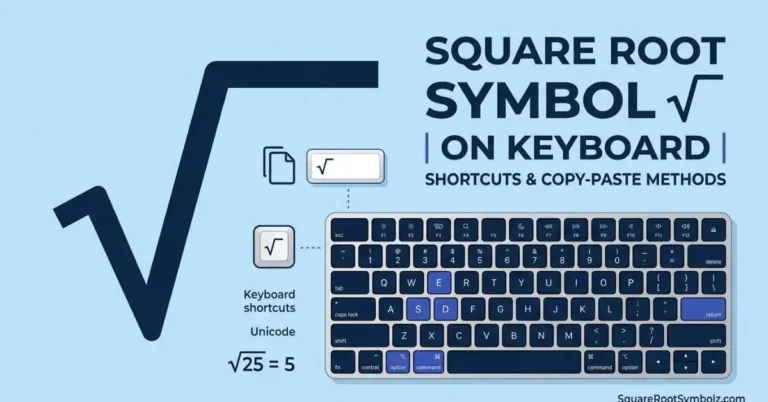
- Press Control + Command + Space to open the Character Viewer.
- Type “cube root” in the search bar and select the symbol to insert it.
Linux
- Use the Ctrl + Shift + U shortcut, then type 221b and press Enter.
Quick Comparison Table
| Device | Shortcut | Notes |
| Windows (general) | Alt + 8731 | Needs numeric keypad |
| Word/Excel | 221B + Alt + X | Word only |
| Mac | Ctrl + Cmd + Space | Opens Character Viewer |
| Linux | Ctrl + Shift + U, then 221b | Works in most text fields |
These alt codes, sqrt symbol and special character shortcuts save time once memorized, but copy-pasting remains the fastest option for one-time use.
Cube Root Symbol Variations & Preview
Depending on the font style and platform you’re using, the cube root symbol may appear slightly different some fonts render it thinner, bolder, or with a longer radical line. This is completely normal, since text symbols are drawn differently by each font family.
You can customize how the symbol looks before pasting it by adjusting:
- Font size – make it larger for headings or smaller for inline text
- Color – useful for design work, presentations, or highlighted notes
- Style – bold, italic, or a combination of both
- Font family – serif fonts often display a cleaner radical symbol than sans-serif fonts
Here’s how the symbol typically looks across common styles:
| Style | Appearance |
| Regular | ∛ |
| Bold | ∛ |
| Italic | ∛ |
| Bold Italic | ∛ |
Since browsers, apps, and devices render Unicode characters slightly differently, it’s a good habit to preview the symbol in the exact place you plan to use it a chat app may display it differently than a Word document or a website.
More Math Symbols Related to Cube Root
The cube root is part of a broader family of root symbols used in mathematics. If you’re working on equations, geometry, or engineering problems, you’ll likely need these related symbols too:
| Symbol | Name | Example |
| √ | Square Root | √9 = 3 |
| ∛ | Cube Root | ∛27 = 3 |
| ∜ | Fourth Root | ∜16 = 2 |
| ^ | Exponent/Power | 2^3 = 8 |
| π | Pi | 3.14159… |
| ± | Plus-Minus | 5 ± 2 |
Keeping these math symbols handy alongside the cube root sign makes it much easier to write complete equations without switching between multiple websites or tools.
Why the Cube Root Symbol Matters in Everyday Use
Beyond classrooms, the cube root symbol shows up in:
- Engineering calculations involving volume and dimensional analysis
- Excel and Google Sheets formulas where visual representation matters for reports
- Academic papers and theses that require precise mathematical notation
- Educational content and tutoring materials for clarity
Because it’s a standard Unicode symbol, it displays correctly across nearly all modern software no special fonts or plugins needed.
Conclusion
The cube root symbol (∛) might look like a small detail, but for students, teachers, engineers, and content creators, having quick access to it saves real time. Whether you copy and paste it directly, use an alt code, or type it through your Mac’s Character Viewer, you now have every method covered in one place.
Bookmark this page so the next time you need ∛ or any of its related root symbols you can grab it in seconds.
FAQs
What is the cube root symbol called?
It’s officially called the cube root sign or radical symbol with index 3, represented as ∛.
How do I type the cube root symbol on a keyboard?
On Windows, hold Alt and type 8731; on Mac, use Ctrl + Command + Space to open the Character Viewer and search “cube root.”
What is the Unicode code for the cube root symbol?
The Unicode code point is U+221B, with HTML entity ∛.
Can I use the cube root symbol in Word and Excel?
Yes, type 221B and press Alt + X in Word, or copy-paste it directly into Excel cells.
Is the cube root symbol the same on all devices?
The character is the same, but its visual style can vary slightly depending on the font and platform you’re using.

I’m the creator of SquareRootSymbolz.com, where I publish easy-to-understand guides on symbols, Unicode characters, Alt codes, keyboard shortcuts, and copy-and-paste text symbols. My goal is to provide accurate, well-researched, and user-friendly content that helps readers quickly find the information they need.